User Manual of DS-7100HWI/HVI-SL/SH and DS-7200HI-SL Series DVR
152
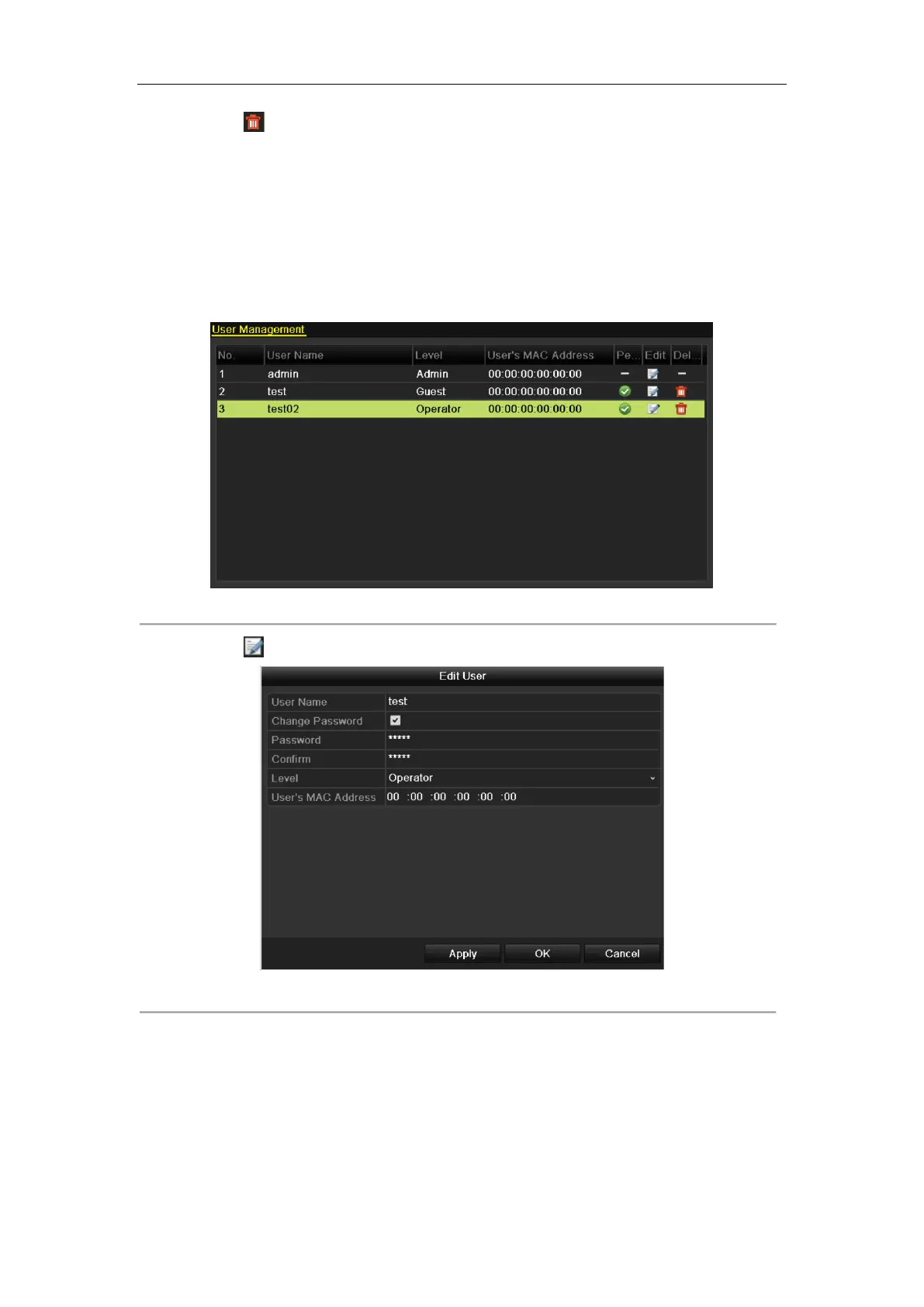
3. Click the icon to delete the selected user.
13.1.3 Editing a User
Steps:
1. Enter the User Management interface.
Menu > Configuration > User
2. Select the user to be edited from the list.
Figure 13.9 Edit a User
3. Click the icon to enter the Edit User interface.
Figure 13.10 Edit User Interface
4. Edit the user information, including user name, password, level and MAC address.
5. Click the OK button to save the settings and exit the menu.
13.1.4 Changing Password of Admin



 To Next Page
 Loading...