EasyManua.ls Logo

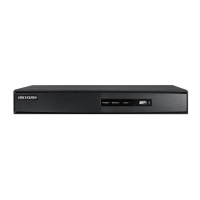
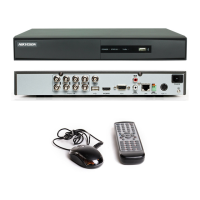
HIKVISION DS-7204HI-S Series - User Manual

HIKVISION DS-7204HI-S Series
88 pages
Print Icon
To Next Page IconTo Next Page
Loading...
1
DS-7204HI-S series Net DVR User Manual
V2.0
Thank you for purchasing Hikvision Net DVR. This manual applies to DS-7204HI-S Series
Net DVR. Please read it carefully for the better use of the product.
The contents in this manual are subject to change without notice. Hikvision assumes no
responsibility for inaccuracies or omissions and specifically disclaims any losses, or risks incurred
as a consequence, directly or indirectly, of the use of any of the contents of this manual.
Further information can be found on the following website: www.hikvision.com/en.

Questions and Answers

  • C
    Cheryl SimpsonJul 31, 2025
    Why HIKVISION DS-7204HI-S DVR continuously reboots after starting up every 10 seconds?
    • M
      Michael LutzJul 31, 2025
      A HIKVISION DVR that continuously reboots every 10 seconds after starting up may be caused by upgrading the wrong firmware, a faulty compression board, or a problem with the main board.
  • L
    lori68Aug 10, 2025
    Why can't HIKVISION DS-7204HI-S find the hard disk in reboot process?
    • L
      Lucas RoweAug 10, 2025
      If your HIKVISION DVR doesn't detect the hard disk during reboot, it could be due to a broken hard disk cable, the hard disk's power cable not being connected, or a broken hard disk.
  • S
    Sharon AlvarezAug 21, 2025
    Why can't client software view HIKVISION DVR live image?
    • S
      Sandra MillerAug 21, 2025
      The client software might not display the HIKVISION DVR live image due to a network error, incorrect DVR connection details (IP, port, username, or password), or an outdated player SDK (playm4.dll).

Summary

Chapter 1 Product Introduction

1.3 Features

Detailed list of the DVR's functionalities including compression, storage, and network capabilities.

Chapter 2 Installation

Chapter 3 Operating Instructions

3.2 IR remote control

Detailed explanation of the IR remote control functions and button operations.

3.3 Menu Description

Comprehensive guide to the DVR's menu structure and available options.

Chapter 4 Basic Operation Guide

4.2 Preview

How to view live video feeds from connected cameras and understand status indicators.

4.4 User name and Password

Managing user accounts, login procedures, and password modification.

4.5 PTZ Control

Operating Pan-Tilt-Zoom (PTZ) enabled cameras connected to the DVR.

4.6 Manual Record

How to manually start and stop video recording for selected channels.

4.7 Playback

Steps for searching, playing back, and managing recorded video files.

Chapter 5 Parameters Setup Guide

5.1 Administrator and Password

Setting up the primary administrator account and managing passwords.

5.2 Add and Delete User

Creating new user accounts and managing existing ones with specific privileges.

5.10 Motion Detection

Setting up motion detection sensitivity, areas, and alarm policies.

5.12 Recording Setup

Configuring recording schedules, stream types, resolution, and bit rates.

5.14 Network Parameters

Configuring IP addresses, ports, gateway, and PPPoE for network access.

5.15 PTZ

Setting up RS-485 parameters and protocols for PTZ camera control.

Chapter 6 Utilities

6.2 Upgrade

Procedures for updating the DVR firmware via FTP or USB.

Chapter 7 Firmware Upgrade

Appendix D Specifications

Appendix E Troubleshooting

HIKVISION DS-7204HI-S Series Specifications

General IconGeneral
BrandHIKVISION
ModelDS-7204HI-S Series
CategoryDVR
LanguageEnglish

Related product manuals