Mul-Door Interlocking Sengs
Mul-door interlocking refers to mulple doors forming an interlocking combinaon, in which one
door can only be opened at most at the same
me, and the other doors must be closed.
Before You Start
●
The device is added. For more details, see
Device Management .
●
The access point is added. For more details, see
Access Point Management .
Steps
1.
Click Access Control → Access Control
Applicaon → Mul-Door Interlocking → + Add.
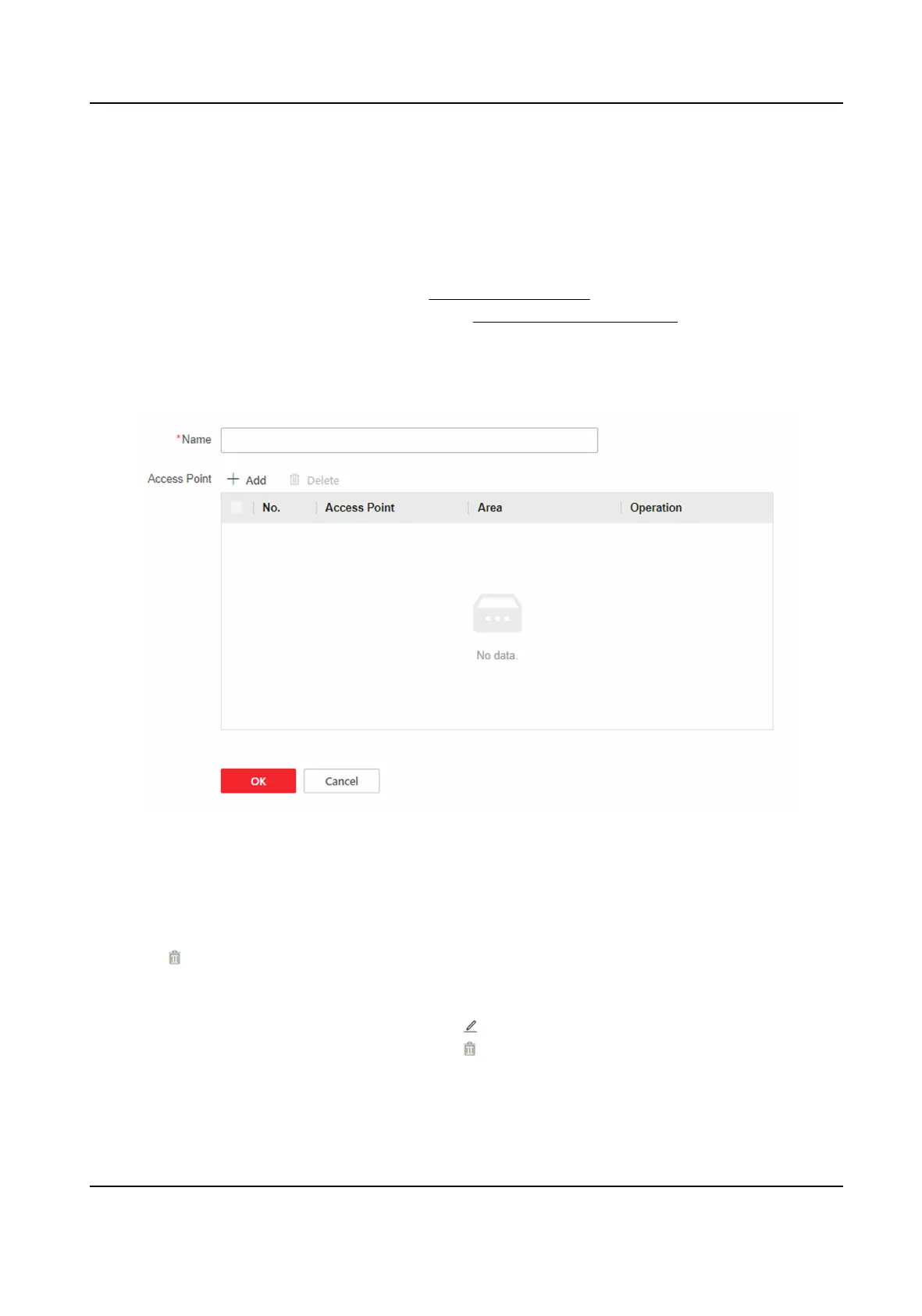
Figure 9-8 Mul-Door Interlocking Sengs
2.
Create the name.
3.
Click + Add, and select the access points.
4.
Delete unnecessary access points.
-
Select unnecessary access points in the list and click Delete to delete access points in batch.
-
Click to delete the single access point.
5.
Click OK.
6.
You can edit and delete the created
mul-door interlocking.
-
Select the
mul-door interlocking, and click to edit.
-
Select the mul-door interlocking, and click to delete.
-
Select the
mul-door interlocking, and click Delete to delete in batch.
DS-K27XX Series Access Controller User Manual
43


 To Next Page
 Loading...