Before You Start
Authencate and enter the menu rst. Refers to Authencaon via Admin for
details.
Steps
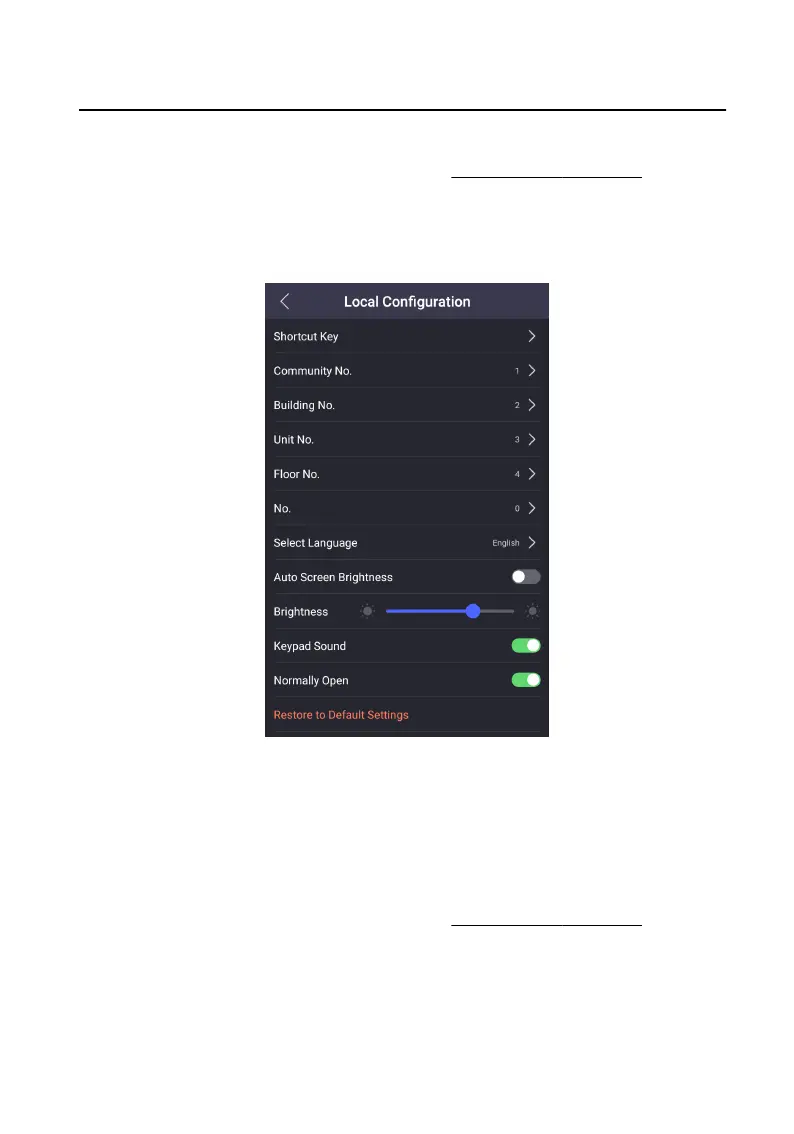
1. On the menu, tap Local Conguraon to enter the sengs page.
Figure 7-13 Local Conguraon
2. Tap Select Language to switch the system language.
7.8.2 Adjust Brightness
Before You Start
Authencate and enter the menu rst. Refers to Authencaon via Admin for
details.
Steps
1. On the menu, tap Local Conguraon to enter the sengs page.
Video Intercom Face
Recognion Door Staon User Manual
34












 To Next Page