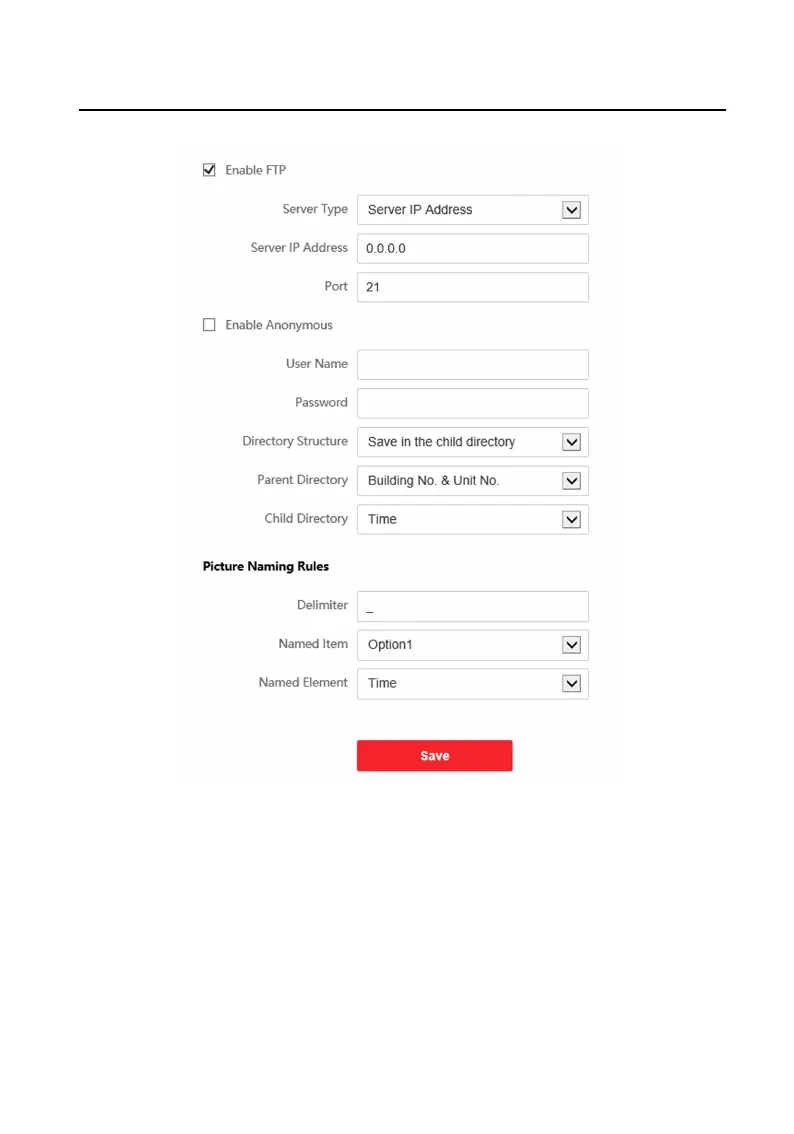
Figure 9-9 FTP Sengs
2. Check Enable FTP.
3. Select Server Type.
4. Input the Server IP Address and Port.
5.
Congure the FTP Sengs, and the user name and password are required for the
server login.
6. Set the Directory Structure, Parent Directory and Child Directory.
7. Set the picture naming rules.
Video Intercom Face
Recognion Door Staon User Manual
58












 To Next Page