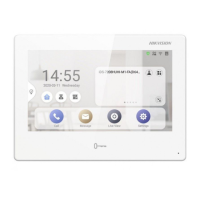
DS-KH9510-WTE1 Video Intercom Indoor Station Configuration Guide
CG DS-KH9510-WTE1 Video Intercom 031621NA 4
Contents
1 Local Operation ............................................................................................................................................. 5
1.1 Activate Indoor Station .......................................................................................................................... 5
1.2 Configuration Settings ........................................................................................................................... 5
1.2.1 Set Indoor Station Network Parameters .................................................................................... 5
1.2.2 Set Linked Device IP .................................................................................................................... 6
1.2.3 Set Indoor Station No. ................................................................................................................. 7
1.2.4 Add Camera .................................................................................................................................. 8
1.2.5 Zone and Alarm Settings Zone Settings ..................................................................................... 8
1.3 Password Settings................................................................................................................................ 10
1.4 Synchronize Time ................................................................................................................................. 11
1.5 Sound Settings ..................................................................................................................................... 12
1.6 Restore Indoor Station ......................................................................................................................... 12
1.7 System Settings ................................................................................................................................... 13
1.8 Link to the Mobile Client ....................................................................................................................... 14
1.9 Shortcut Settings ................................................................................................................................. 14
2 Remote Operation via the Client Software ................................................................................................. 14
2.1 Activate Device Remotely .................................................................................................................... 14
2.2 Device Management ............................................................................................................................. 15
2.2.1 Add Video Intercom Devices ..................................................................................................... 15
2.2.2 Modify Network Information ...................................................................................................... 17
2.3 System Configuration .......................................................................................................................... 17
2.4 Remote Configuration .......................................................................................................................... 17
2.4.1 System ....................................................................................................................................... 17
2.4.2 Video Intercom .......................................................................................................................... 21
2.4.3 Network ...................................................................................................................................... 26
2.5 Person and Card Management ............................................................................................................. 29
2.5.1 Organization Management ....................................................................................................... 29
2.5.2 Person Management ................................................................................................................. 30
3 Communication Matrix and Device Command ............................................................................................. 32


 To Next Page
 Loading...