GROUP BYPASS
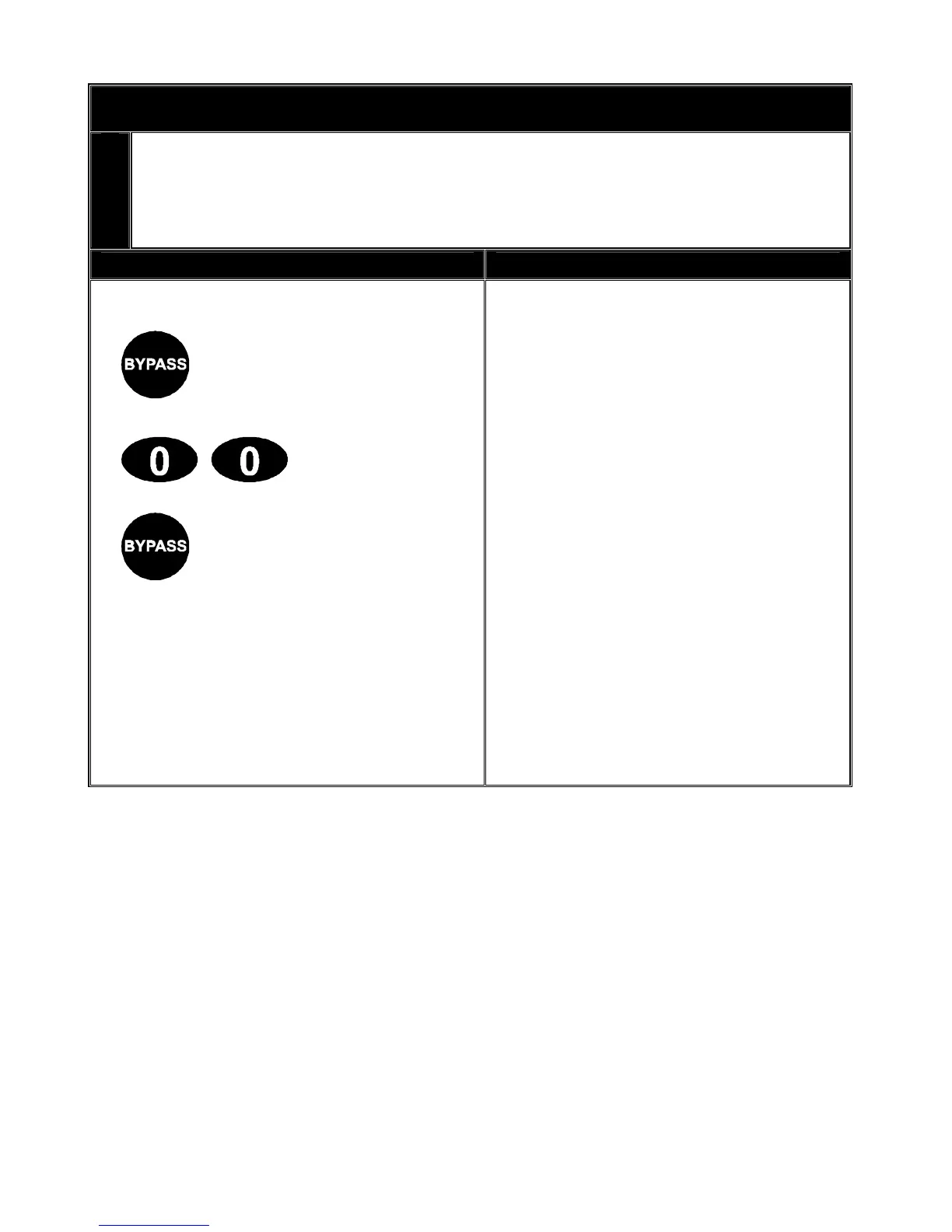
By pressing the [BYPASS] key, followed by the [0][0] key, then the [BYPASS] key again, all
zones that are designated as group bypass zones will be bypassed. Now you can arm your
system in either the [ON] or [PARTIAL] mode. Once armed pressing the [BYPASS] key
again will toggle the bypassed zones on and off.
Key Sequence Operation
1. Press the [BYPASS] key.
(The bypass light flashes.)
Tick box if User code required
2. Press [0][0] keys. The group
bypass zone lights will turn on when
bypassed.
3. Press the [BYPASS] key again.
NB: Pleased check with your security
installation company to determine if a
user code is required to group
bypass. If this feature has been
enabled you will be required to enter
a valid user code after step 1., and
before step 2.
V2.02
Page 10



 To Next Page