CHANGING & ADDING USER CODES
On occasion you may need to change your arm & disarm codes, either as a security
measure or for your own convenience.
User Codes are 4 digits long and must all be different to each other. A master Code must be
used to Change and Add user codes. The default master code is user code one [01] with a
code of [1234]. Any user code can be assigned as a master code (See User Code
Authorisation). Note the system must be disarmed before user codes can be changed or
added.
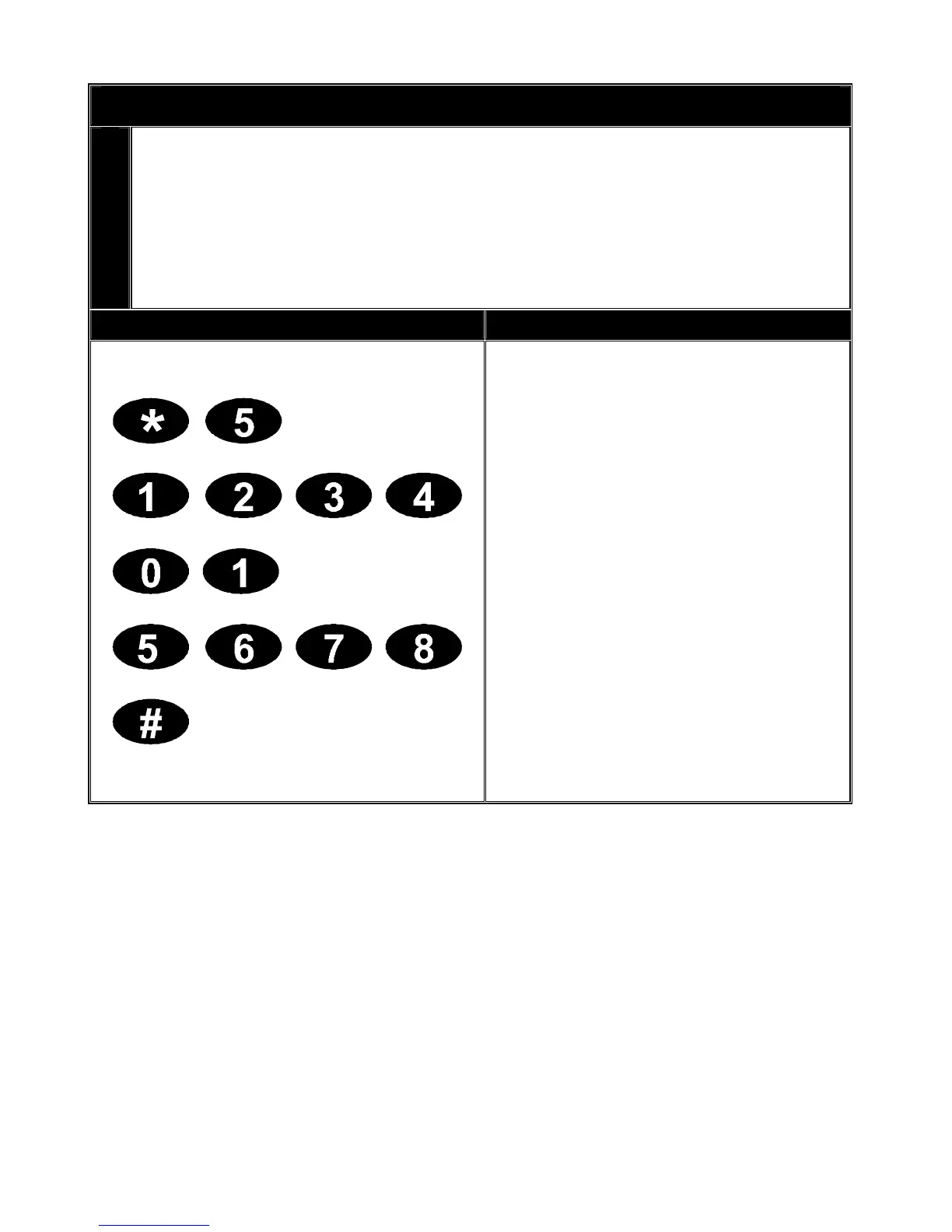
Key Sequence Operation
1. Press [*] [5].
2. Enter an existing master code.
3. Enter the user code to add or
change.
(e.g. user code 01)
4. Enter the new four-digit user
code.
5. Repeat steps 3 and 4 for
additional user codes.
5. Press [#] when completed.
V2.02
Page 11


 To Next Page