TABLE OF CONTENTS
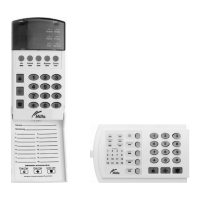
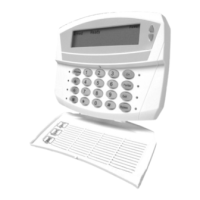
• Code Pad Diagrams .......................................................................................2
• Glossary of Terms ..........................................................................................4
• Understanding the Code Pad Lights...............................................................5
• Code Pad Control Tones ................................................................................6
• Fully arming the system – On Mode...............................................................7
• Fully arming the system – Quick Arm Mode...................................................7
• Partially arming the system – Partial Mode ....................................................8
• Disarming – from the On or Partial Mode .......................................................8
• Bypassing – Individual Zones.........................................................................9
• Group Bypass.................................................................................................10
• Changing & Adding User Codes.....................................................................11
• Deleting User Code ........................................................................................12
• Walk Test........................................................................................................12
• User Code Authorisation.................................................................................13
• Setting the Door Chime ..................................................................................13
• Exit Mode – Extend Exit Timer .......................................................................14
• Code Pad Emergency Keys............................................................................14
• Viewing Alarm Memory...................................................................................14
• Reset Latched Alarms ....................................................................................15
• Setting System Date.......................................................................................15
• Setting System Time.......................................................................................16
• Set Code Pad Tones ......................................................................................16
• Program Telephone Number ..........................................................................17
• Viewing Telephone Numbers..........................................................................18
• Cancelling Alarm Calls....................................................................................18
• Deleting Telephone Numbers.........................................................................19
• Communicator, Battery & Siren Test..............................................................19
• Service Light...................................................................................................20
• Emergency Evacuation Plans.........................................................................21
• Zone
List.........................................................................................................Back Page
V2.02
Page 3


 To Next Page