BYPASSING – INDIVIDUAL ZONES
Bypassing is used to temporarily exclude one or more zones that would normally be
protected. For instance, a pet may need to be left in a part of the house that is usually
protected. If you wish to bypass one or more zones, this must be done while the system is in
the disarmed state. The following steps are used for bypassing zones. Once you have
Bypassed the zone(s) you may Arm the system via the ON or PARTIAL Mode. When your
security system is disarmed, any zones that has been temporarily isolated or bypassed will
be reset, and will therefore be protected when the system is armed again. To manually un-
bypass zones, perform the bypassing procedure on a zone that is already bypassed.
The corresponding light for that zone will go off when un-bypassed.
Key Sequence Operation
This example shows a user
bypassing zones 4 and 5.
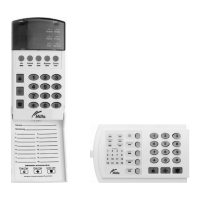
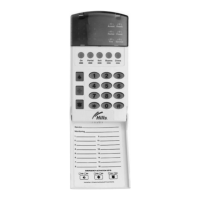
1. Press the [BYPASS] key.
(The bypass light flashes.)
Tick box if User code required
2. Enter a 2-digit zone indicating the
zone you wish to bypass.
(Example: Press the [0][4] keys for
zone 4, press [0][5] keys for zone 5.)
The corresponding light for that zone
will turn on when bypassed.
3. Press the [BYPASS] key again.
NB: Pleased check with your security
installation company to determine if a
user code is required to bypass
zones. If this feature has been
enabled you will be required to enter
a valid user code after step 1., and
before step 2.
BYPASS
0 4
5
0
BYPASS
V2.02
Page 9


 To Next Page