13
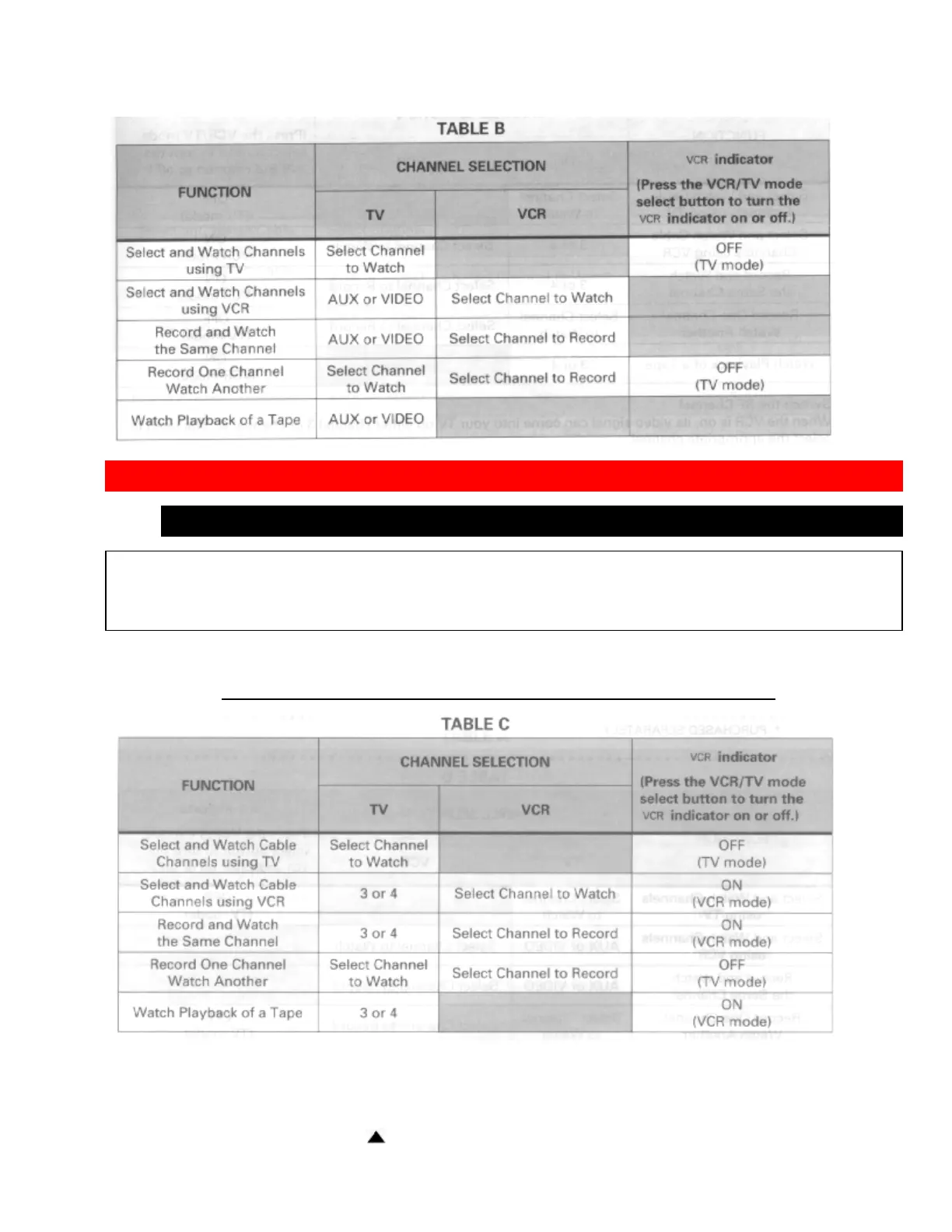
BASIC CABLE HOOKUP [C]
WITH THIS HOOKUP
YOU CAN...
• WATCH AVAILABLE CABLE CHANNELS
• RECORD AND WATCH THE SAME CHANNEL
• RECORD ONE CHANNEL AND WATCH ANOTHER
Hookup C Illustration
Switch the RF Channel
When the VCR is on, its video signal can come into your TV on either channel 3 or channel 4. You need to select
the appropriate channel.
• When the power is turned on, press the POWER button to turn it off. Press the PLAY button on front of
the VCR. Pressing the CHANNEL
button alterantes between RFCH-03 (channel 3) and RFCH-04


 To Next Page
 Loading...










