28
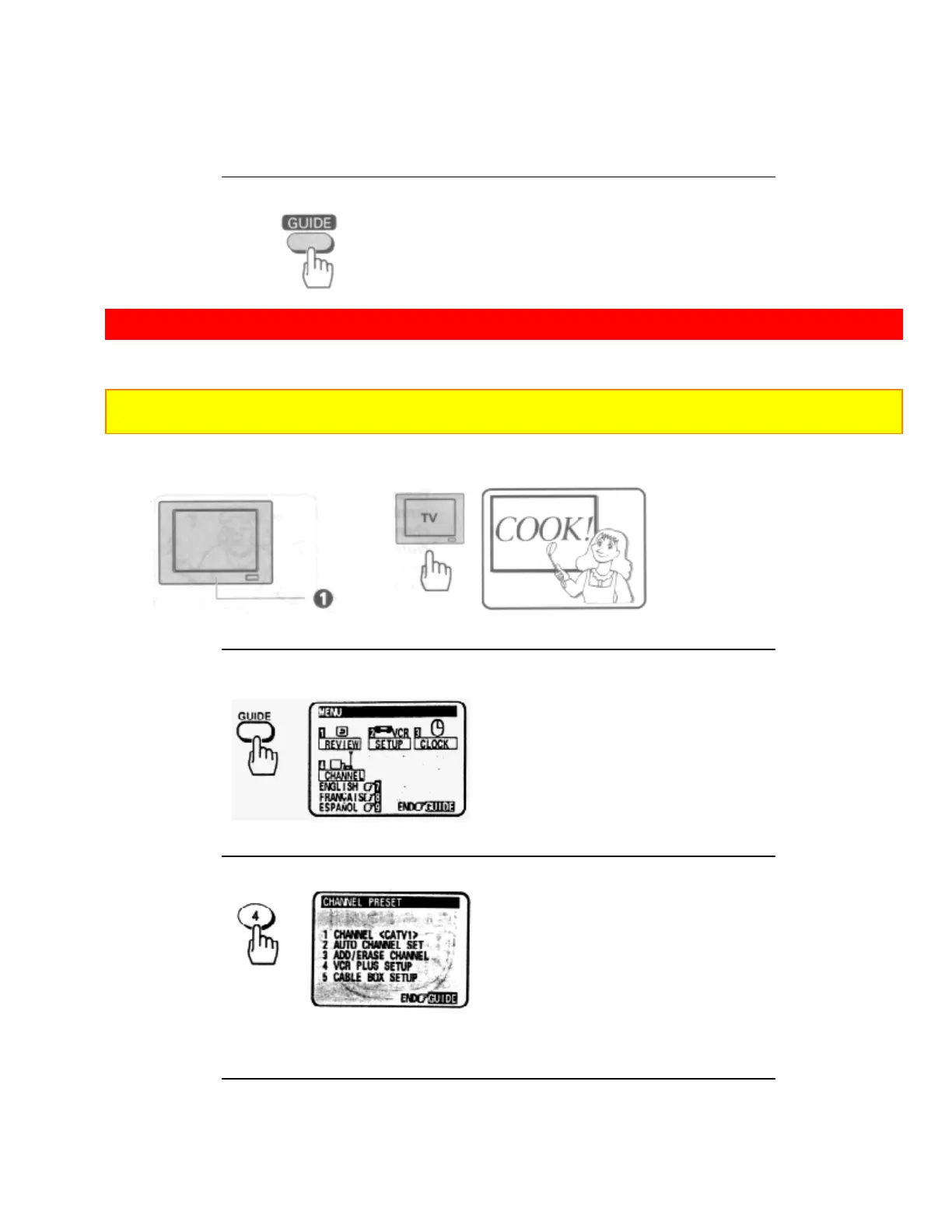
5 Press the GUIDE button to end the setting.
CABLE BOX SETUP
The following setup allows the VCR channel to automatically switch to the cable box output channel during
delayed recording.
Note: This setup should be performed if you receive all channels through a cable box (Hookups [E], [F] or|
[G]).
1 Turn on the TV and select the video channel (3 or 4).
Or, if you are hooked up with an audio/video cable, set the TV to AUX or VIDEO.
2 Press the GUIDE button.
The main on-screen menu will appear on the TV screen.
3 Press the (4) button to select the CHANNEL PRESET operation.
Remote Control Illustration.
4 Press the (1) button to select <CATV2>.













 To Next Page