29
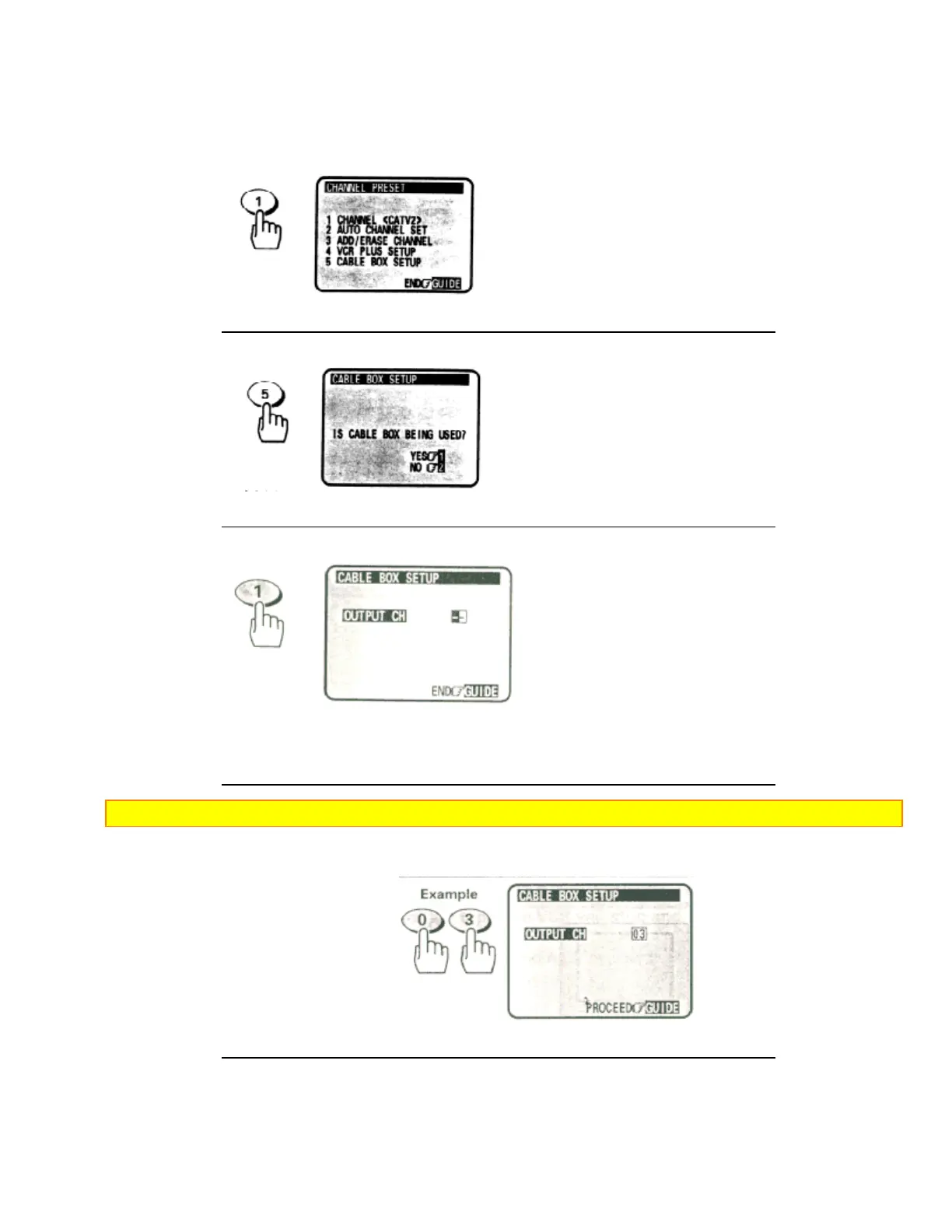
5 Press the (5) button to select "CABLE BOX SETUP" menu.
6 Press the (1) button to answer "YES" to the question "IS A CABLE BOX BEING USED?"
• If you select "YES", you need not operate "VCR PLUS+ SETUP" ( see page 48). During delayed
recording, the VCR channel will automatically switch to the cable box output channel.
Note: Refer to the cable box owner's manual to identify the cable box output channel (usually 3 or 4).
7 Using the VCR remote, enter the cable box output channel numbers.
For example, press (0)(3) for channel 3.
8 Press the GUIDE button to enter the output channel of your cable box.













 To Next Page