9
14
15
16
17
18
19
20
21
22
VCR, TV, CATV - Device buttons let you set the
remote to control one of the three devices.
VCR/TV mode select button
CH (channel up/down) button
PAUSE button
F.FWD button - fast forward or search
PLAY button - playback
SUPER INDEX - to use the
SUPER INDEX function
Number buttons
AVX button - select L
REMOTE OPERATION
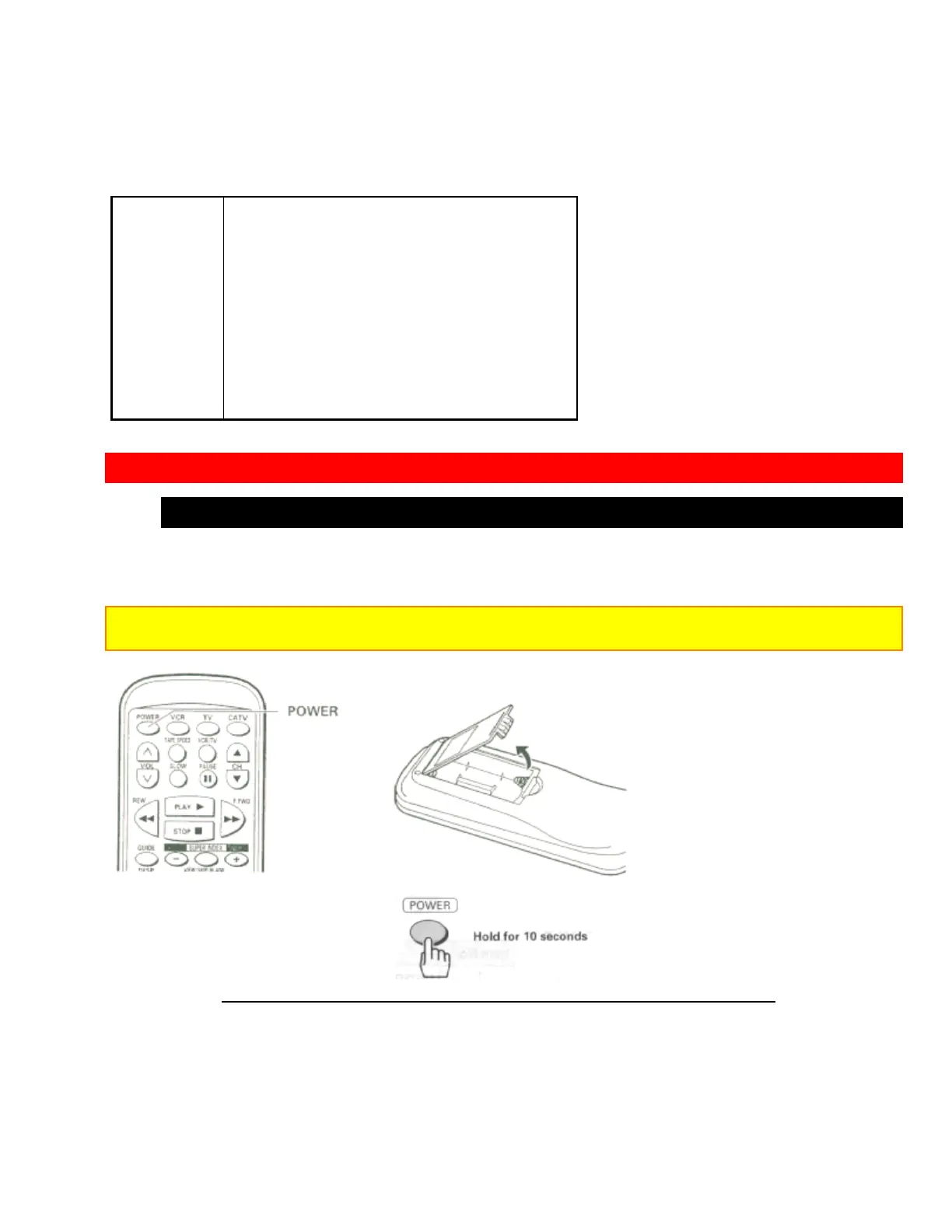
Install batteries in the remote control
The remote control requires two "AA" batteries.
1 Insert your fingertip into the notch and push the battery compartment lid to remove it.
Note: When replacing the batteries, remove the old batteries and keep the POWER button depressed for 10
seconds before inserting fresh batteries.
2 Install batteries.
• Align the positive (+) and negative (-) polarity marks on the batteries with those indicated on
the remote control.













 To Next Page