22
VT-FX632A ONLY
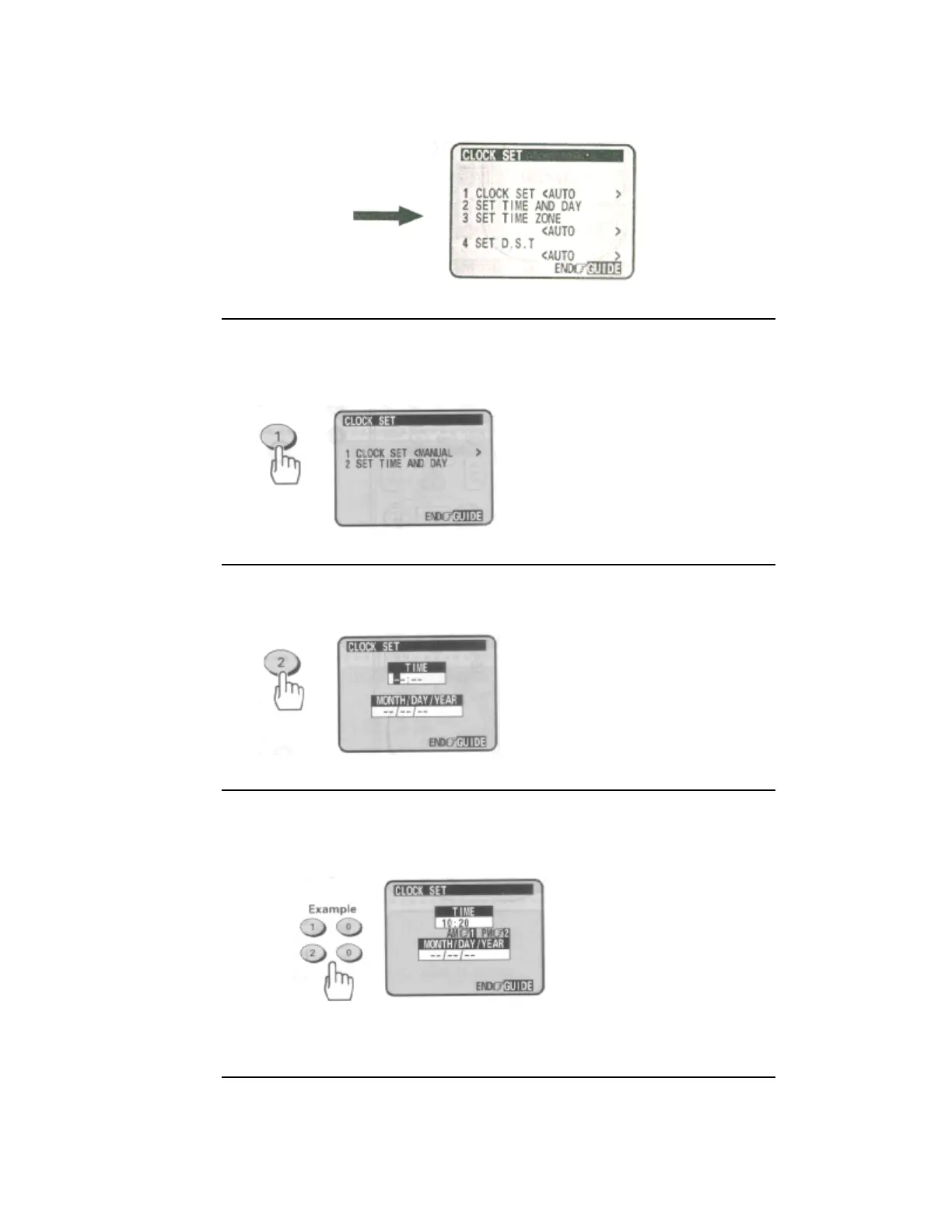
3 Press the (1) button to select "CLOCK SET <MANUAL>".
When "CLOCK SET <MANUAL>" is selected, "SET TIME ZONE" (item 3) and "SET DST" (item 4)
are not displayed.
VT-FX632A ONLY
4 Press the (2) button to bring up the clock set menu.
• The white dash "-" appears for the item to be changed on the screen as you proceed.
Common for VT-FX631A and VT-FX632A
5 Press the number buttons to fill the hour and minutes.
• For times with only one number (1-9) press the (0) button first, then the hour or minute.
For example, if it is now 10:20AM, press (1)(0)(2)(0). "AM" and "PM" will now appear on the screen.
Remote Control Illustration.
6 Press the (1) button for AM or (2) for PM.
For example, press the (1) button for AM.


 To Next Page
 Loading...










