24
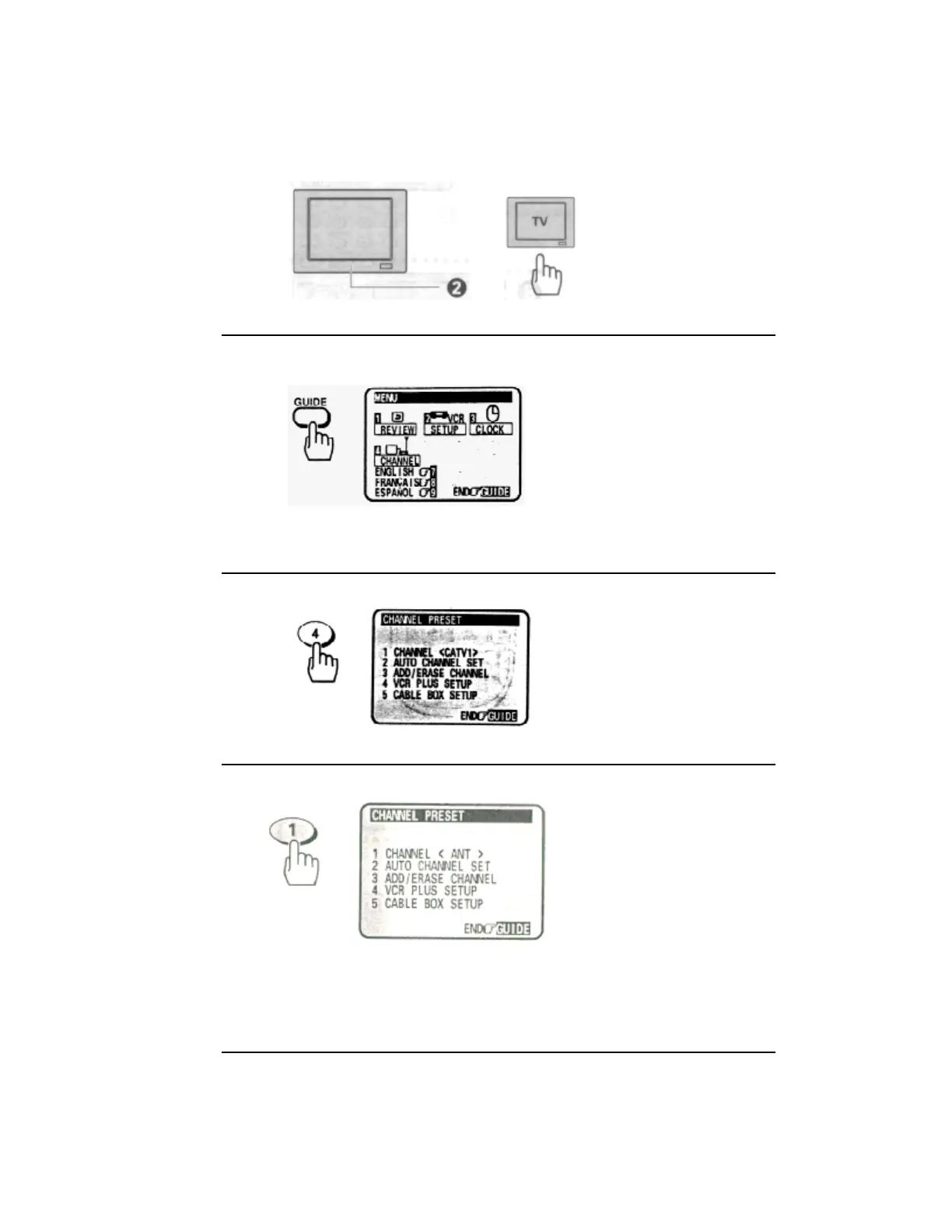
2 Turn on the TV and select the video channel (3 or 4).
Or, if you are hooked up with an audio/video cable, set the TV to AUX or VIDEO.
3 Press the GUIDE button.
The main on-screen menu will appear on the TV screen.
Remote Control Illustration.
4 Press the (4) button to select the CHANNEL PRESET operation.
5 Press the (1) button to select the type of receiving setup you have:
<CATV1> Ordinary cable
<ANT> Internal or external antenna
<CATV2> Alternate cable
(If CATV1 doesn't give you the channels you expect).
6 Press the (2) button.
The VCR will automatically store channels received in your area. It takes about 2 - 3 minutes. After the
channels are stored in memory, the channel with the lowest number appears in the VCR's display.


 To Next Page
 Loading...










