40
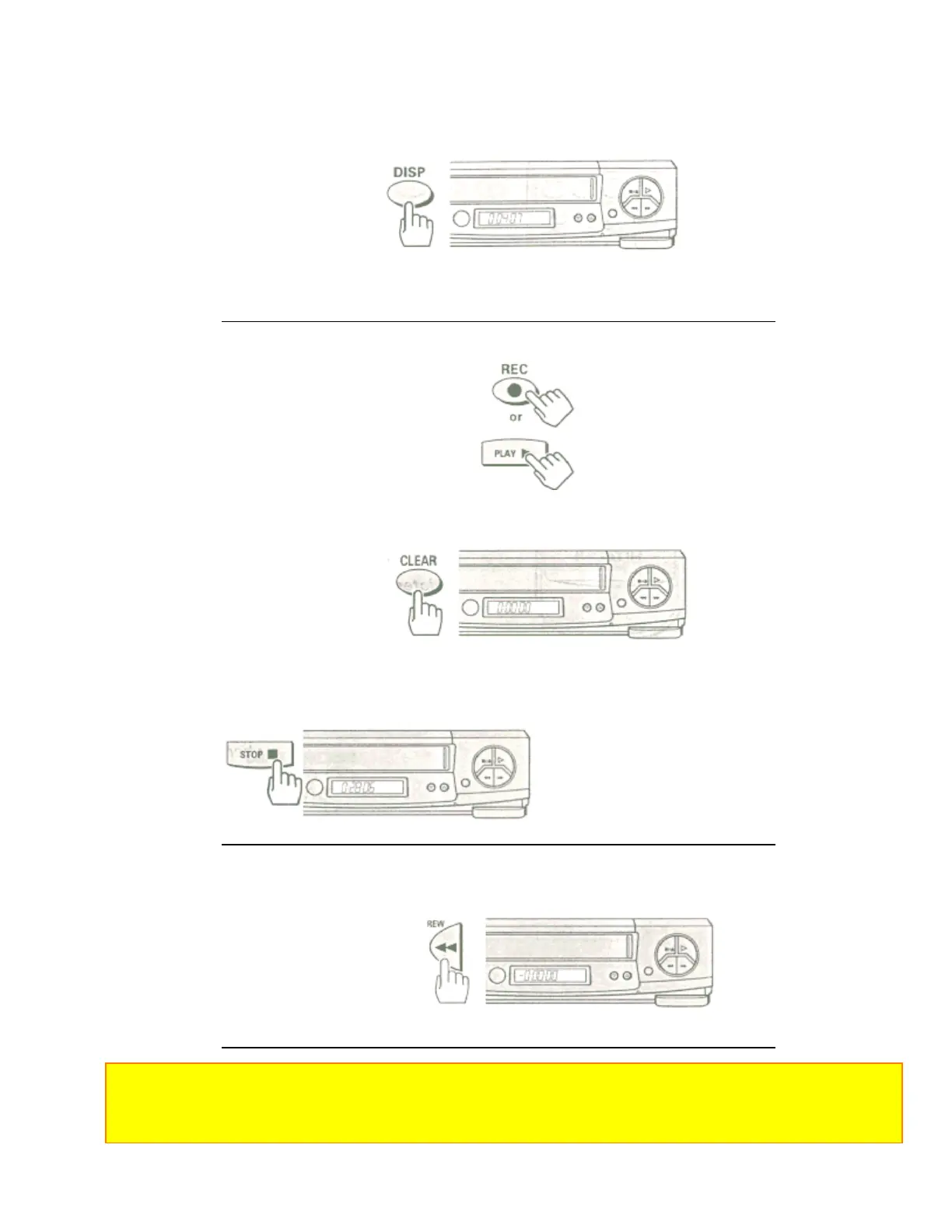
1 Press the DISP button two or three times.
The counter will appear in the VCR's display.
Remote Control Illustration.
2 Begin recording or playing back a tape.
3 At the point that you want to go back to, press the CLEAR button.
This resets the counter to 0:00:00.
4 Press the STOP button when you are done recording or playing back the tape.
5 Press the REW button to rewind the tape.
It will automatically stop at the spot where you cleared the counter in step 3.
• Press the PLAY button to watch the tape from the selected spot.
Notes:
• Press the DISP button to turn the counter display off. The selected spot will stay in memory until you set a new
one or until the tape is ejected.
• During super rewind/fast forward, the tape does not stop automatically even if the counter reads "0:00:00".













 To Next Page