53
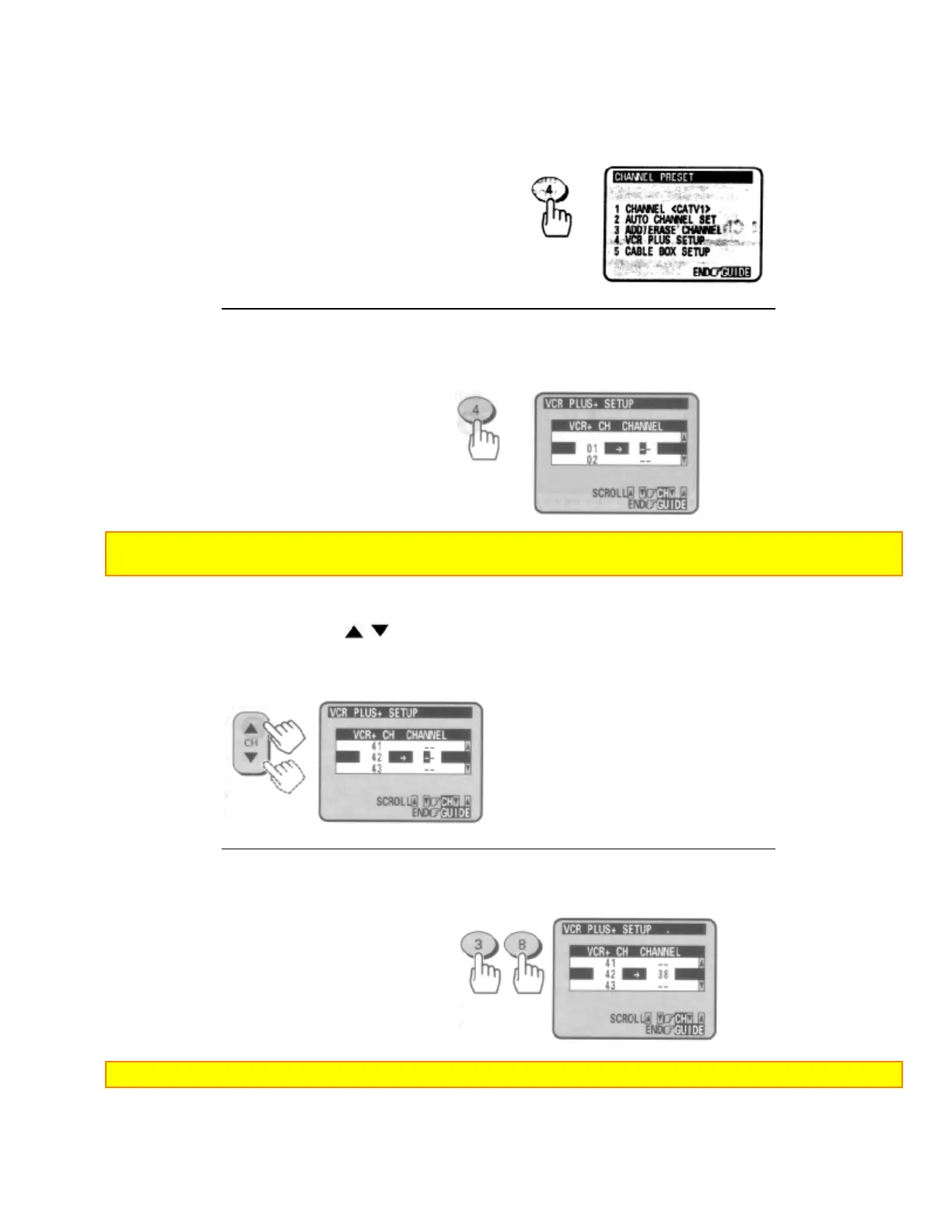
3 Press the (4) button to select CHANNEL PRESET.
Note: If you have set up the cable box, the following operation is not necessary.
4 Press the (4) button to select VCR PLUS+ SETUP.
A small arrow points to a blank "--" in the CHANNEL column.
Note: If your broadcast channel number is the same as the VCR Plus+ Channel in your TV listing do not enter
any number.
5 Press the CH (
/ ) button to move up and down through the channel list
until you reach VCR Plus+
CH42.
6 Press the number buttons to assign your broadcast channel number to the corresponding VCR
Plus+ channel.
In this example broadcast channel 38 is assigned to VCR Plus+ channel 42.
Note: If you enter a wrong digit, press the CLEAR button to erase the wrong number and enter the correct one.
7 Repeat steps 5 - 6 for all channels that need to be assigned.













 To Next Page