34
NiCd/NiMH CYCLE MODE (cont.)
Select the correct battery type by following the instructions on
page 29. Once you have set the correct battery type, toggle up (▲)
or down (▼) until you see the “
NiMH CYCLE” screen.
The Cycle Mode gives you two cycling
options: “
DCHG>CHG“ or “CHG>DCHG“. The
“
DCHG>CHG“ option will rst discharged the battery and then
charge the battery. The “
CHG>DCHG“ option will rst charge the
battery and then discharge the battery. If this screen does not cur-
rently show the cycling option you desire, toggle right (►) once
and this setting will begin ashing. Toggle up (▲) or down (▼) to
change this setting.
Toggling right (►) once will cause the
number of cycles option to begin ashing.
Toggle up (▲) or down (▼) to change this to the number of cycles
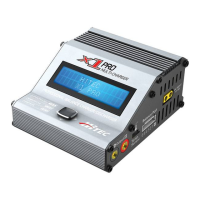
you want the X1Pro to execute. The X1 Pro can cycle the battery a
maximum of 5 times consecutively.
Toggle and hold the joysick to the right (►) for three seconds to
begin cycling.
Once cycling has commenced, the charger
will display the following real-time informa-
tion: battery type, charging/discharging current, battery voltage,
charging time and charged capactiy. You will also see “
D>C“ or
“
C>D“. This will indicate which cycling order you have chosen. Either
“
D“ or “C“ will be ashing. This ashing indicates which part of the
cycle is currently being executed.
Once the cycling process is complete, the
X1 Pro will display the charge/discharge
capacity for each cycle. By toggling up (▲) or down (▼) , you can
scroll through this data for each cycle.
NiMH CYCLE
DCHG>CHG 1
NiMH CYCLE
DCHG>CHG 1
NiMH 0.1A 5.21V
D>C 015:42 00026
DCHG 1 1314mAH
CHG 1 1430mAH
Pb LEADACID


 To Next Page