39
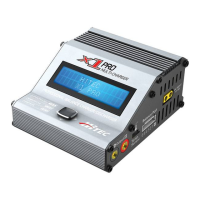
The X1 Pro can store up to 10 dierent battery proles. This allows
you to easily recall stored proles without having to go through
the setup process each time you charge a battery.
When you power on the X1 Pro, toggle down (▼) repeatedly until
you see “
BATT MEMORY”. Toggle right (►) once to enter the “BATT
MEMOR
Y” program.
Battery Memory Number
When you enter the “BATT MEMORY” pro-
gram, the battery prole number will be ashing. Toggle up (▲) or
down (▼) to select the battery prole (1-10) you wish to create/edit.
Battery Type
Toggle right (►) once to enter the “BATT
TYPE
” screen. Toggle right (►) once and the battery type will
begin ashing. Toggle up (▲) or down (▼) to select the battery
type. Toggle right (►) once to enter the battery type.
Battery Voltage/Cell Type
Toggle up (▲) once to enter the “BATT
VOLTS
” screen. Toggle right (►) once and the voltage value will
begin ashing. Toggle up (▲) or down (▼) to change the voltage
value. The cell count will change automatically to correspond to
the voltage selected. Toggle right (►) once to set the voltage.
Charge Current Setting
Toggle up (▲) once to enter the “CHARGE
CURRENT
” screen. Toggle right (►) once and the amperage value
will begin ashing. Toggle up (▲) or down (▼) to change the
amperage value. Toggle right (►) once to set the amperage.
BATTERY MEMORY
[ BATT MEMORY 1]
ENTER SET->
BATT TYPE
LiPo
BATT VOLTS
7.4V(2S)
CHARGE CURRENT
4.9A


 To Next Page