© HMS Industrial Networks S.L.U - All rights reserved
This information is subject to change without notice
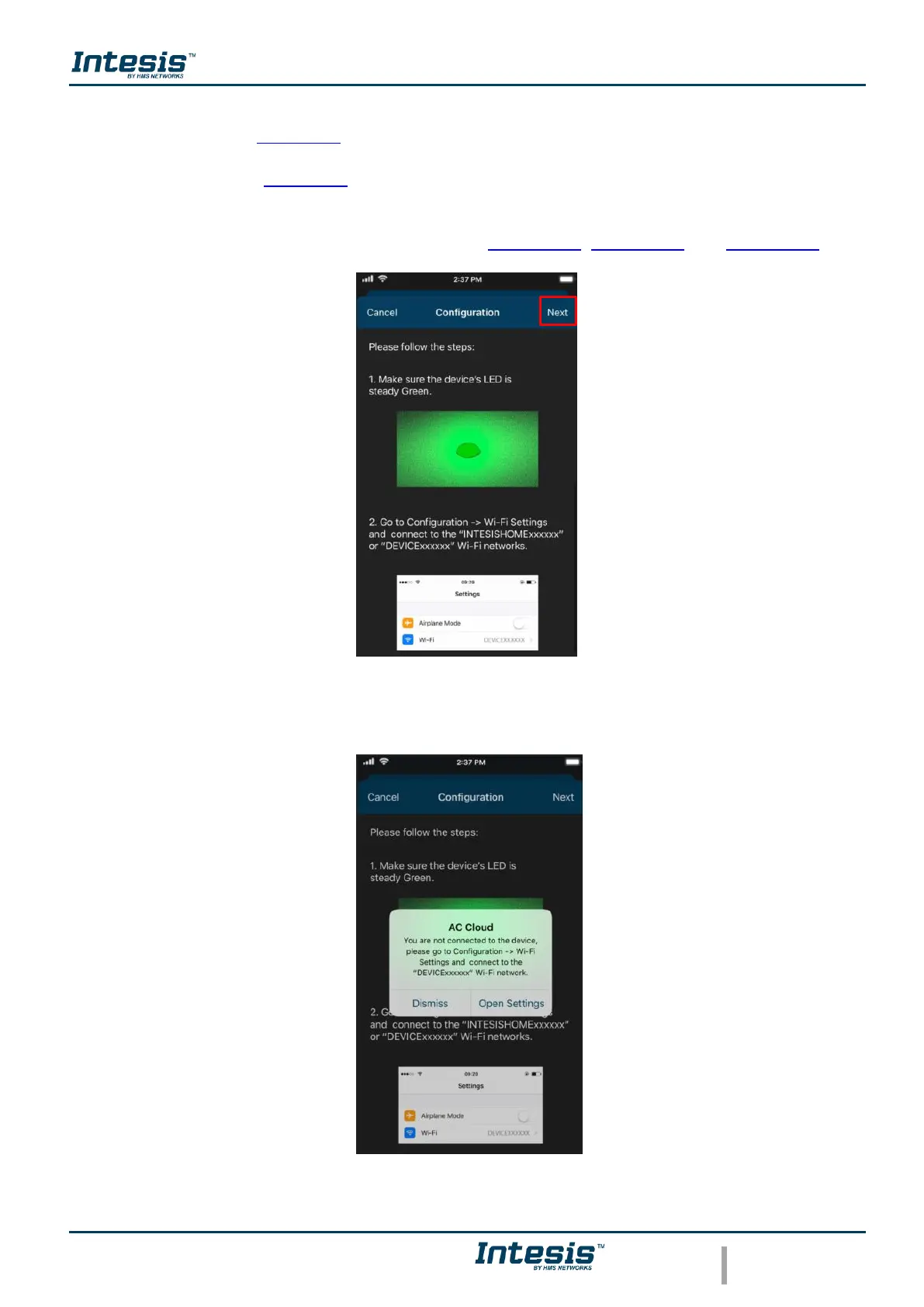
Go to Wi-Fi settings of your mobile or Table and select the network generated by AC Cloud
Control device (See Figure 3.3). Tap on Next.
In case the user is not connected to the device network a pop-up window will be shown asking
to connect to it. (See Figure 3.4).
The mode to configure the Wi-Fi network can be selected as preference. Further information
about each mode configurations will be found at Section 3.3, Section 3.4 and Section 3.5.
Figure 3.3 Configuration network procedure.
Figure 3.4 Configuration network warning pop-up window.



 To Next Page