© HMS Industrial Networks S.L.U - All rights reserved
This information is subject to change without notice
3.5 WPS
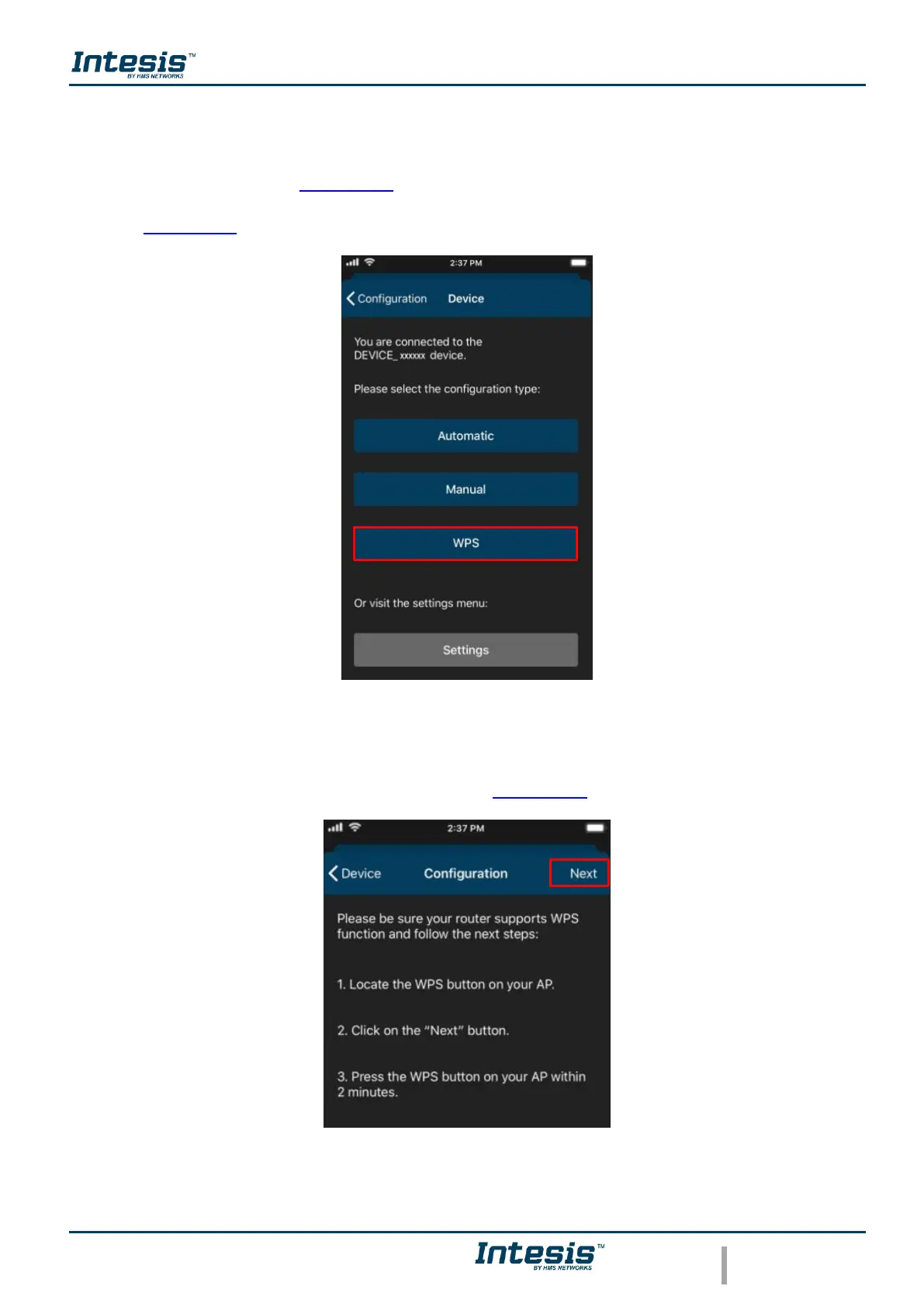
There are 2 ways to start the WPS configuration procedure
1. Tap on WPS (See Figure 3.14).
2. Press one time the button to activate the WPS. Further information can be found at
Section 2.2
Figure 3.14 WPS configuration procedure.
Follow the instructions in the screen shown (See Figure 3.15). Tap on Next.
Figure 3.15 Instructions to perform WPS mode configuration.



 To Next Page