© HMS Industrial Networks S.L.U - All rights reserved
This information is subject to change without notice
3.6 Settings
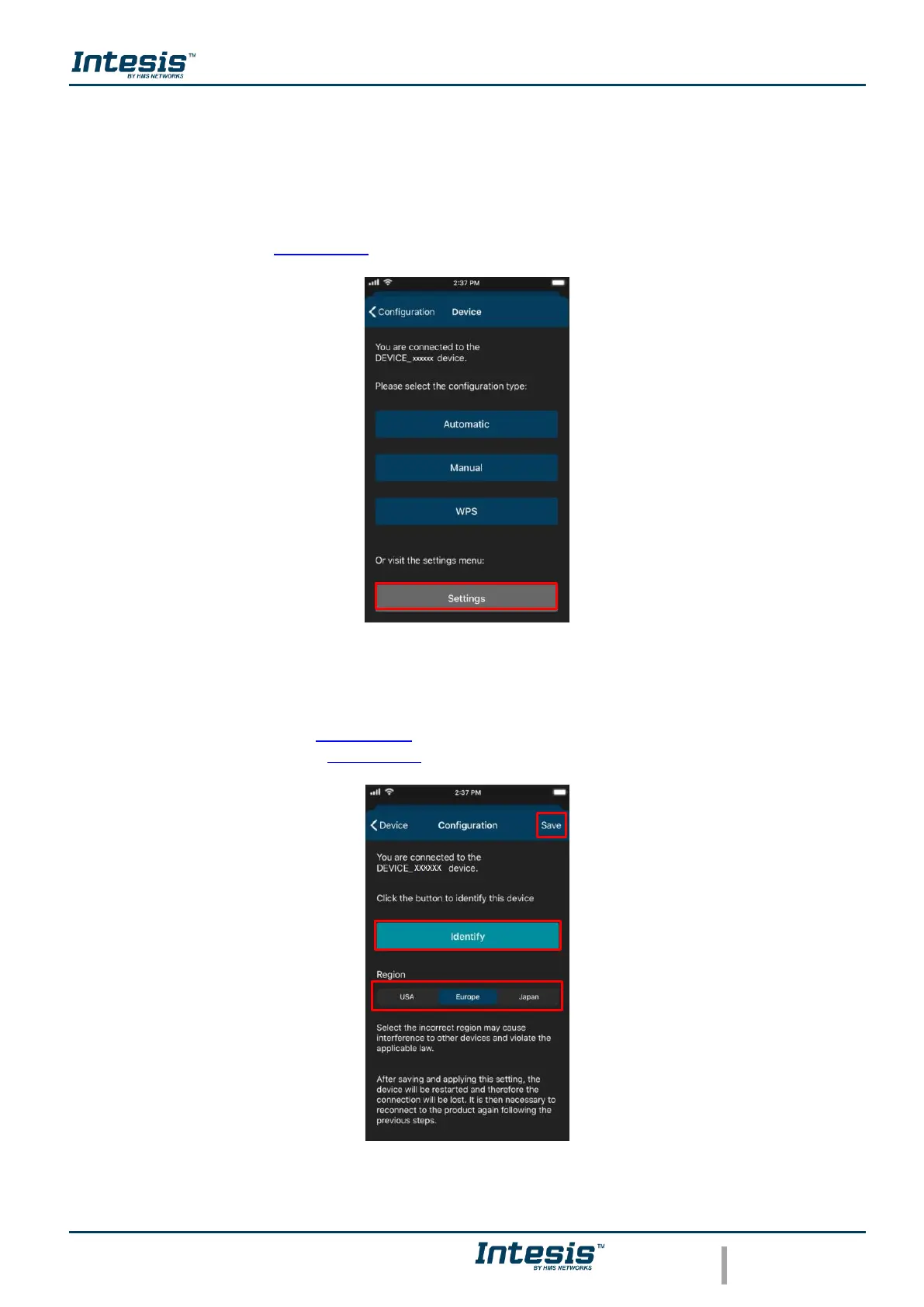
In settings the domain region where the AC Cloud Control device will work can be changed,
also, if the installation has more than device and the user needs to identify which device is
going to be configured it can be called.
Tap on Settings (See Figure 3.18)
Figure 3.18 Settings configuration site.
• To identify to which network AC Cloud Control device is connected the mobile or tablet
tap on Identify (See Figure 3.19). the light of the LED will blink white for 6 seconds,
then it will be off (See Figure 3.20).
Figure 3.19 Settings AC Cloud control.



 To Next Page