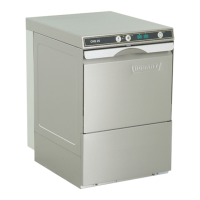
6.1 SWITCH-OFF
Close the door.
Push and hold (approx. 3 seconds) the ON/OFF button
➀
until the first
segment of the green illuminated button goes out.
NOTE
:
During the drain cycle, the interior of the machine is cleaned automati-
cally. A final inspection is recommended to remove any food debris.
When the ON/OFF button has gone out completely:
Switch off main switch or unplug and close the shut-off valve
!
6.2 CLEANING (DAILY)
To clean the machine do not use any chloric, acidic or
abrasive products and no metallic brushs.
Open the door, take out and clean strainers.
Please ensure that food debris does not enter pump intake
!
Flush the fine strainer.
Clean interior of the machine.
Put strainers back into place.
Leave the door open for ventilation.
6.3 CLEANING (WEEKLY)
Loosen the retaining screws (A) by turning them counter-clockwise.
Take out wash and rinse arms and flush.
6.4 HYGIENE CLEANING
After reaching a pre-set number of wash cycles the Hygiene indicator
➈
lights up to indicate that an automatic hygiene cleaning of the machine
interior should be carried out.
Before end of operation:
Take out rack and put one HOBART-Hygiene-Cleaner Tab into the
machine interior.
Close the door.
Push Program button
➁
repeatedly until the upper Display shows "H".
Push ON/OFF button
➀
.
During the Hygiene Program is running (duration 10 minutes) the green
illuminated segments go out one after the other.
At the end of the cycle the machine switches off automatically.
If necessary hygiene cleaning should be carried out before reaching the
pre-set number of wash cycles. With regular use the machine interior
will remain free of food debris and deposits.
–
–
–
–
–
–
–
–
–
–
–
–
–
–
6 SWITCH-OFF AND CLEANING THE MACHINE


 To Next Page
 Loading...