EasyManua.ls Logo

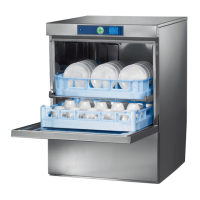
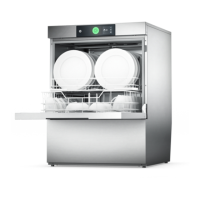
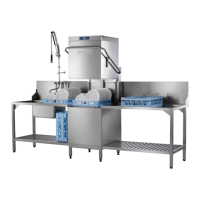
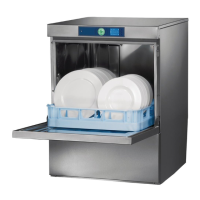
Hobart FX series - User Manual

Hobart FX series
26 pages
Print Icon
To Next Page IconTo Next Page
Loading...
Starting from Serial No.:
GLASS AND DISHWASHERS
INSTALLATION AND
OPERATION INSTRUCTIONS
(original instructions)
REV. 06.08.20108654 5000
FX/GX SERIES

Other manuals for Hobart FX series

Questions and Answers

  • M
    Mark HarperJul 31, 2025
    How to fix Hobart FX when dishes are not clean?
    • J
      Jerry StevensJul 31, 2025
      To resolve the issue of dishes not being properly cleaned in your Hobart Dishwasher, start by checking the wash arms to ensure they can turn easily by hand. If they are stiff, remove and thoroughly clean them, also check that the water outlet from the machine to the wash arms is clear. Inspect the wash arm nozzles for clogs; if clogged, remove the wash arm, take off the cleaning cap, and rinse thoroughly. Also, verify that the coarse strainer is not soiled by removing, emptying, and cleaning it. Similarly, check the fine strainer for soiling or lime buildup; if heavily soiled, soak it in a vinegar solution before cleaning. Finally, ensure that the correct program is selected for the load and that the detergent concentration is correct.
  • D
    Dakota CaseyAug 5, 2025
    Why are glasses cloudy after washing in my Hobart FX?
    • D
      Donna SanchezAug 5, 2025
      Cloudy glasses from your Hobart Dishwasher are often due to glass corrosion, where the surface of the glasses becomes rough and porous. This issue is not caused by a malfunction of the machine, so you will need to replace the glasses.
  • J
    Jason McdanielAug 10, 2025
    Why does my Hobart FX Dishwasher leave stripes and stains on dishes?
    • E
      elliotttylerAug 10, 2025
      To address stripes and stains on dishes or glasses from your Hobart Dishwasher, first, check the rinse aid concentration; if it's too high, reduce the quantity. Also, check your water quality with your local water authority to ensure you don't have hard water or high mineral content. Ideal degree of hardness is 4° Clark. Ideal conductivity value for glasses is max. 150 µS/cm and for dishes max. 400 µS/cm. If you are using a machine with a softener, make sure you are using only granular regeneration salt. Finally, ensure the rack is suitable for the dishes, allowing water to drain properly.
  • K
    Kelsey RogersAug 15, 2025
    What to do if Hobart FX doesn't dry dishes properly?
    • A
      Andrew DuranAug 15, 2025
      If your Hobart Dishwasher isn't drying dishes or glasses properly, you may need to increase the rinse aid concentration. If dishes are still greasy, increase the detergent concentration and ensure you're using an appropriate detergent. You might also need to drain the soiled water and refill the machine, and check your pre-scrapping procedure. Also, make sure you are using appropriate racks to create a sloping position which allows water to drain away from cavities. Finally, remove the dishes as soon as the cycle is completed.
  • T
    Timothy MortonAug 20, 2025
    Why does my Hobart FX Dishwasher suddenly stop during the wash program?
    • Z
      Zachary WeberAug 20, 2025
      If your Hobart Dishwasher stops suddenly during a wash program, it could be due to the machine being connected to a maximum power supply unit that is cutting out, or the machine is interlocked with another energy consumer unit; in this case, connect the machine separately. Also, check the site fuses to see if one has blown.
  • M
    Martin Brown DDSAug 25, 2025
    What causes glass breakages in my Hobart FX Dishwasher?
    • N
      njohnsonAug 26, 2025
      Glass breakages in your Hobart Dishwasher can be caused by using inappropriate dish or glass racks. Ensure you are using appropriate racks.

Summary

Installation

Location

Details on machine placement, ensuring proper ventilation and stability by leveling feet.

Electrical Connection

Instructions for safe electrical connection by authorized personnel, adhering to local codes.

Water Connection

Guidance on connecting to potable water, specifying pressure, temperature, and hardness limits.

Drain Connection

Instructions for connecting the drain hose, ensuring it does not exceed the specified height.

Controls

ON;OFF Button

Powers the machine on/off and indicates operational status via LED colors.

Program Button

Allows selection between different preset washing programs and displays program number.

Stop Button

Immediately stops the machine operation without a drain cycle.

Indicators (Salt, Detergent;Rinse Aid, Hygiene, Service)

Visual indicators for salt level, chemical deficiency, cleaning needs, and machine faults.

Displays (Temperature, Program Info)

Shows wash/rinse temperatures, program details, and fault codes.

Start-Up

Detergent

Instructions for filling the detergent container or suction hose, with safety precautions.

Rinse Aid

Instructions for filling the rinse aid container or suction hose, with safety precautions.

Chemical Sensor Start-Up

Procedure for starting up the chemical sensor, requiring qualified service personnel and specific settings.

Priming the Suction Hoses

Manual process to prime detergent and rinse aid suction hoses using control buttons.

Softener (Optional)

Instructions for filling and adjusting the optional water softener with regeneration salt.

Operation

Preparation

Steps to prepare the machine and load dishes for washing, including checking components and water.

Run

Instructions on how to start a wash cycle, monitor its progress, and unload the machine.

Select Program

Details on selecting different wash programs like Short, Standard, Long, and Hygiene cycles.

Switch-Off and Cleaning the Machine

Switch-Off

Procedure for safely switching off the machine, including drain cycle and final shut-off.

Cleaning (Daily)

Daily cleaning tasks for the machine, focusing on strainers and interior cleaning.

Cleaning (Weekly)

Weekly maintenance for cleaning wash and rinse arms, involving loosening screws.

Hygiene Cleaning

Instructions for performing hygiene cleaning using a special cleaner tab, triggered by an indicator.

Temperature Preview

Faults;Indications

Restricted Operation Faults

Fault codes indicated by flashing GREEN/RED ON/OFF button, with possible causes and remedies.

Red Service Indicator Faults

Fault codes indicated by RED ON/OFF button and Service indicator, with causes and remedies.

Other Indications

Indications for detergent/rinse aid deficiency (CH1, CH2) and their resolution.

Settings and Counter Values

Adjustment of Detergent Dosage Quantity

Procedure to adjust the amount of detergent dispensed per liter of water.

Adjustment of Rinse Aid Dosage Quantity

Procedure to adjust the amount of rinse aid dispensed per liter of water.

Adjustment of Water Hardness

Setting the water hardness level for the optional softener based on local water authority details.

Cycle Counter

Displays the total number of wash cycles the machine has completed.

Water Consumption Counter

Tracks and displays the total water consumed by the machine in liters.

Remaining Water Quantity Counter For External Water Treatment

Monitors remaining water quantity for external treatment systems, requires service mode activation.

Activation;Deactivation of Chemical Sensor

Instructions to enable or disable the chemical sensor for detergent and rinse aid dispensing.

Termination of Setting Mode;Counter Display

Procedure to exit setting or counter display modes and save changes.

Frost Prevention

Maintenance

Troubleshooting Guide

Poor Wash Result

Troubleshooting steps for issues like dishes not clean or not drying properly.

Other Malfunctions

Troubleshooting steps for cloudy glasses, glass breakages, and sudden machine stops.

Hobart FX series Specifications

General IconGeneral
BrandHobart
ModelFX series
CategoryDishwasher
LanguageEnglish

Related product manuals