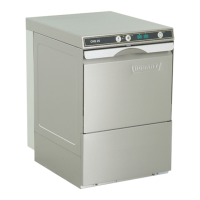
3 CONTROLS
➀
Machine ON / OFF
Pushing this button switches the machine on.
As soon as the machine is ready for operation, the wash cycle is started
by pushing this button also.
By pushing and holding (3 seconds) this button, the drain and self
cleaning cycle starts. At the end of the cycle, the machine switches off
automatically.
After switch off, the machine is not voltage free!
Furthermore the button illuminates to indicate the mode of the machine:
GREEN
BLUE
RED
GREEN/RED
(permanent)
(alternate flashing)
= Machine is ready for operation
= Wash cycle is running
= Failure indication (see chapter 8)
= Failure indication (see chapter 8)
The status of the program is indicated by the color change of the four
button segments:
Filling
Draining
Washing
Drying
increasingly GREEN
decreasingly GREEN
from BLUE back to GREEN
a rotating blue segment on a green background
➁
Program button
By pushing this button, it is possible to select between different preset
programs, according to the model and equipment.
The program no. (e.g. P02) will be shown in the Display
➅
.
➂
Eco button
By pushing this button the Vapo Rinse ECO will be activated/deactivated.
➃
Stop button
In case of operating error or faults, it is possible to switch-off the
machine immediately without the drain cycle, by pushing this button.
After switch off, the machine is not voltage free!
➄
Display e.g. temperature indication Wash (°C) (see chapter 7).
➅
Display e.g. temperature indication Rinse (°C) (see chapter 7).
➆
Salt required
Indicating the need for regeneration salt to be added.
(Only with built-in softener.)
➇
Detergent-/rinse aid indicator
Indicates detergent or rinse aid deficiency (integrated reservoir).
➈
Hygiene indicator
Indicates that a hygiene cleaning should be carried out
(see chapter 6.4).
➉
Service indicator
Indicating, that the machine has a fault (see chapter 8).


 To Next Page
 Loading...