21637-A-03-09 9
DE
GB
F
NL
Remove any food debris before loading plates into rack.
Spray off greasy food soil.
5.2 RUN
Put rack into the machine and close the door.
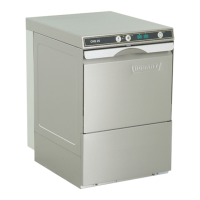
Push the ON/OFF button
➀
. During the wash cycle is running, the
color of the ON/OFF button changes from blue increasingly back to
green.
As soon as the ON/OFF button
➀
illuminates completely green (with
deactivated drying), the wash cycle is finished.
Open the door and take out rack.
Allow dishes to dry for 1 minute approx.
If activated, a drying process (duration 3 minutes) will start automati-
cally at the end of wash cycle.
The running drying process is indicated by a rotating blue segment on
green background in the ON/OFF button.
The drying process can be stopped at any time by opening the door.
ATTENTION: During the drying process, a few drops of condensate
water may appear on the exhaust outlet.
For technical reasons the drying blower will start automatically at times
also during stand-by of the machine.
ACTIVATING / DEACTIVATING VAPO RINSE ECO
By pushing the Eco button
➂
the Vapo Rinse can be activated /
deactivated (only with program P01 and P02).
If activated, the display shows "Eco".
For ongoing load of heavy soiled dishes it is recommended to switch
off the Vapo Rinse.
SELECT PROGRAM:
The machine is operating automatically with "Vapo Rinse ECO" and
short cycle time. If needed, it is possible to select a longer program.
To show the present program, push the Program button
➁
before
starting the wash cycle.
To change the program, push the Program button again.
P 01
=
Short cycle (for light / medium soiled dishes and glassware)
P 02
=
Standard cycle (for medium / heavy soiled dishes)
P 03
=
Long cycle with water exchange (for dried on soiling and
containers)
P 04
=
Endless cycle
An endless cycle will be indicated by moving light points in the
displays. To stop the wash cycle, push ON/OFF button
➀
.
(After 20 minutes the machine will stop automatically.)
After a short break, rinse starts automatically.
The machine continues with the chosen cycle time until it is switched
off or another program is chosen.
–
–
–
–
–
–
–
–
OPERATION


 To Next Page
 Loading...