Built-in devices
10-8
- Use the adjusting knob / pushbut-
ton to select the desired type of
energy.
- Press the adjusting knob / push-
button to conrm the temperature.
The menu item “Select type of energy” will be depicted when a
heating system that uses electric heating rods has been connected
(optional extra).
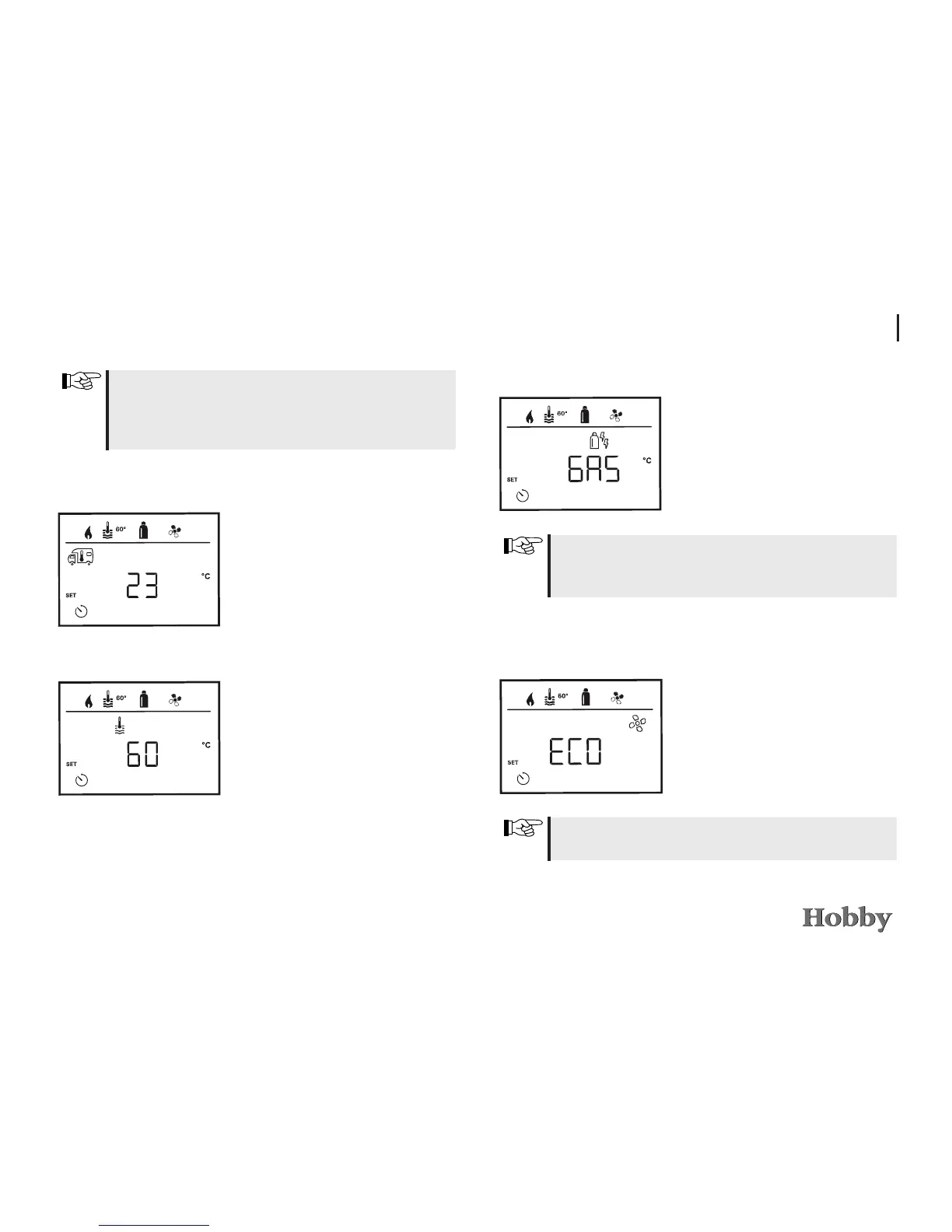
Selecting the fan speed
- Use the adjusting knob / pushbut-
ton to select the desired fan speed.
- Press the adjusting knob / push-
button to conrm the temperature.
The menu item “Select fan speed” will be depicted when the hea-
ting / hot water temperature has been set.
Selecting the type of energy *
If the start/end time was exceeded during entry, the operating
parameters will only be taken into account after the next start/
end time has been reached. Until then, the operating parameters
set outside the timer will remain valid.
Setting the room temperature
- Use the adjusting knob / push-
button to select the desired room
temperature.
- Press the adjusting knob / push-
button to conrm the temperature.
Setting the hot water temperature
- Use the adjusting knob / pushbut-
ton to select the desired hot water
temperature.
- Press the adjusting knob / push-
button to conrm the temperature.





 To Next Page