21
Use and Maintenance Manual
ENGLISH
Use of the wheel balancing machine
Displays the information screen
Selects unbalance display in g/oz
Traceability management
Enables/disables wheel in correction position
Splits the unbalance
Displays the second set of buttons
Lift reset with wheel stopped / STOP during spin
6.4 UNBALANCE MEASUREMENT (first set of buttons)
To perform an unbalance measurement spin, close the guard.
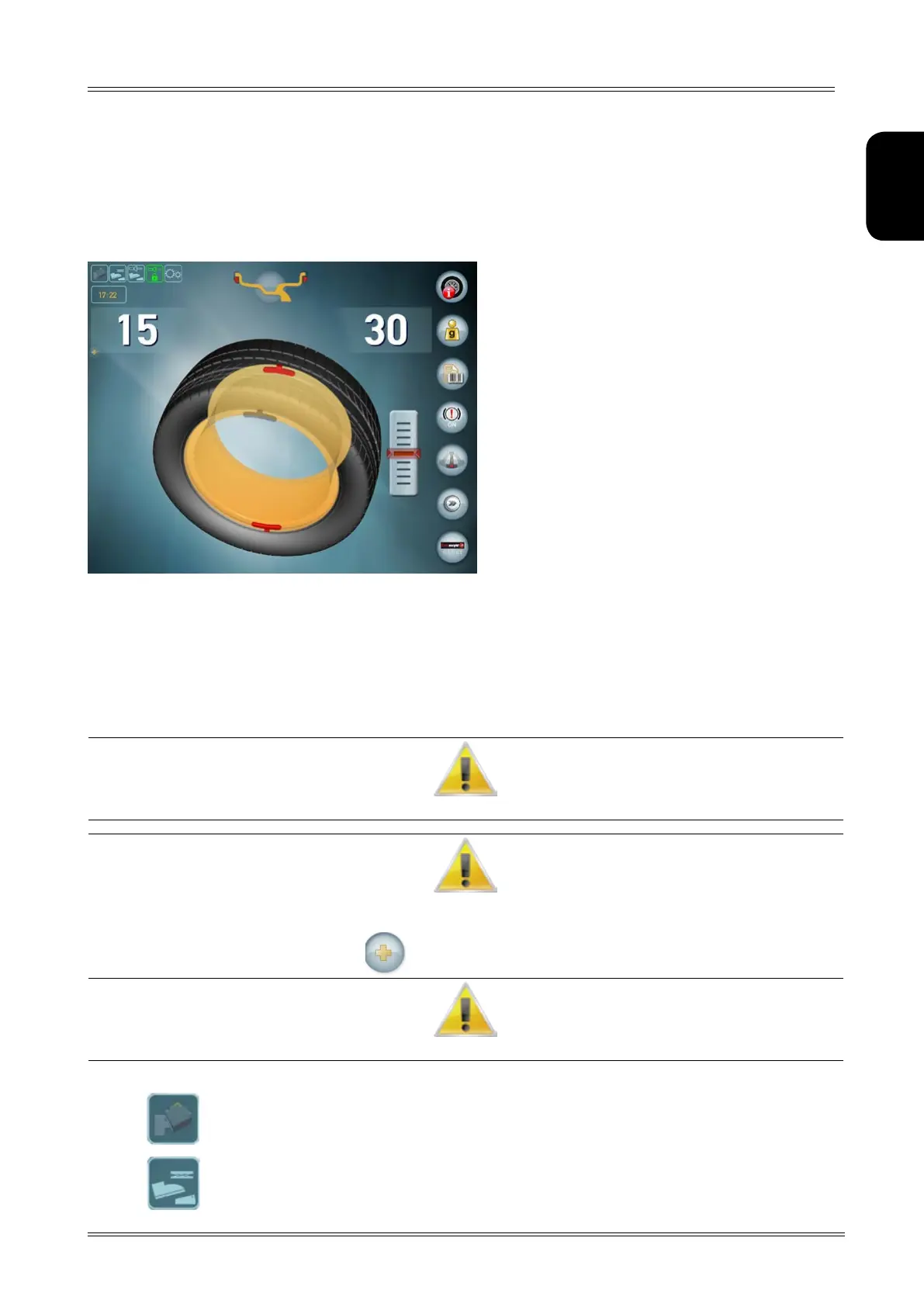
After performing a balancing spin, the following are displayed:
1. The unbalance values.
▪ White: wheel locked in correction position / Internal scanning laser positioned on the side.
▪ Light blue: position not reached / Internal scanning laser not positioned.
2. The red weights that indicate the unbalance position.
3. The weight shadows that indicate where the correction weight should be applied: at the top at 12 o’clock
or at the point indicated by the internal laser.
If The “Wheel IN posITIoN” souNd Is eNAbled, A souNd WIll be emITTed WheN The coRRecTIoN posITIoN hAs beeN ReAched.
If The uNbAlANce Is less ThAN The ThReshold vAlue seT, oK Is dIsplAyed INsTeAd of The uNbAlANce vAlue To INdIcATe ThAT The Wheel
Is WIThIN ToleRANce oN ThAT sIde.
pRessING The buTToN you cAN IN ANy cAse vIeW The ResIduAl uNbAlANce.
To Resume WITh The dImeNsIoNs of The Wheel mouNTed, opeN ANd close The spINdle.
when on, it indicates that the lasers are moving
when on, it indicates that the lift pedal is pressed


 To Next Page