63
Use and Maintenance Manual
ENGLISH
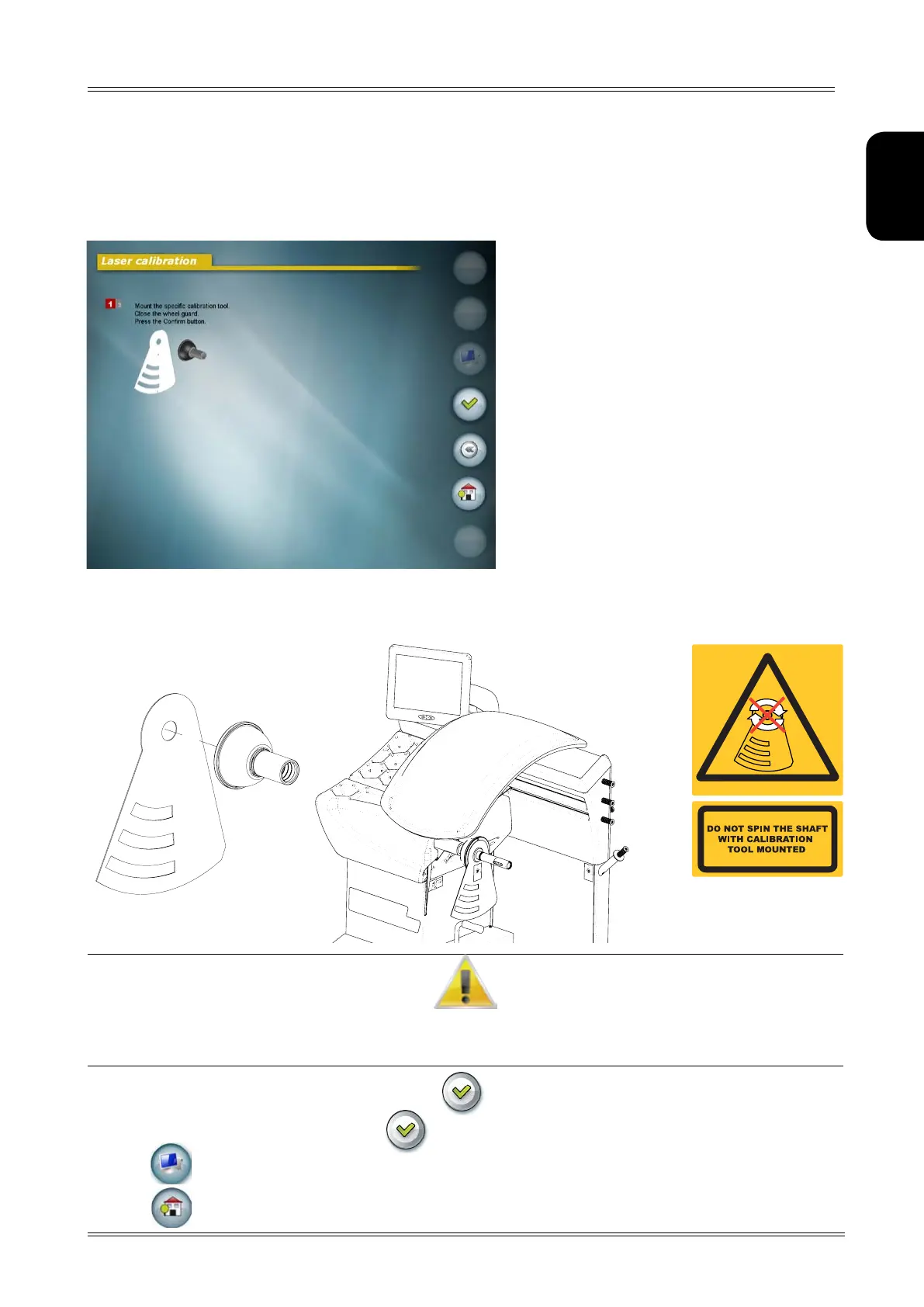
8.3.1 LASER calibration
Saves the laser calibration values
Confirm
Goes back to the measurement screen
Return to main screen
1. Open the spindle and fit the specific calibration tool as shown in the figure.
Reserved Setup
The Tool cANNoT be fITTed IN A posITIoN dIffeReNT fRom ThAT INdIcATed IN The fIGuRe.
AlWAys fIT The cAp oN The collAR.
do NoT peRfoRm A bAlANcING spIN WITh The cAlIbRATIoN Tool fITTed.
1. Close the spindle and the guard and press the button.
2. Remove the calibration tool and press
3. Press to save the calibration
4. Press to exit from the screen.


 To Next Page