66 Operating the Device
Setting automatic mode
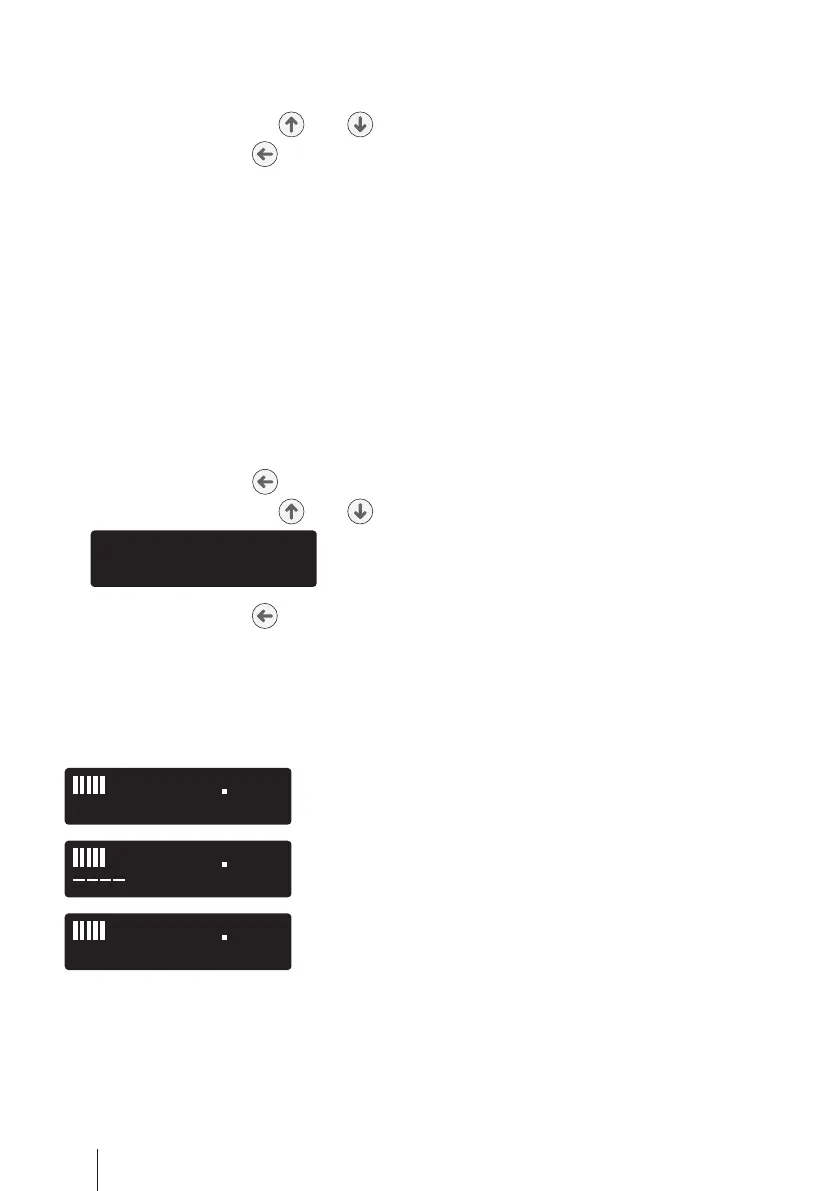
1. Select the complete menu (see page 47).
2. Use the selection keys and to select Auto.
3. Press the enter key to set the desired automatic mode.
The device can be switched on or off in any automatic mode by pressing the ON/OFF key.
Display Vt
When the function „Display Vt“ is activated, the tidal volume is displayed in ml during
therapy. The value displayed is the arithmetic mean of the inspired air volume from the
last four breathing periods. The value is recalculated after each breathing period and
shown on the display. The leakage air flow must be calculated before display is possi
-
ble. This is generally the case after about three breathing periods.
Activating/deactivating the display of the tidal volume
1. Press the enter key for 1 second.
2. Use the selection keys and to select Display Vt.
3. Press the enter key to set „ON“ or „OFF“.
Please note: During the therapy the display of the tidal volume replaces the display
of the date.
Possible displays states
Display of tidal volume in ml.
No valid value for the tidal volume is available yet.
If the display shows the value 0 ml for the tidal volume,
an apnea has occurred.


 To Next Page