-28-
13.0 APP OPERATION INSTRUCTION
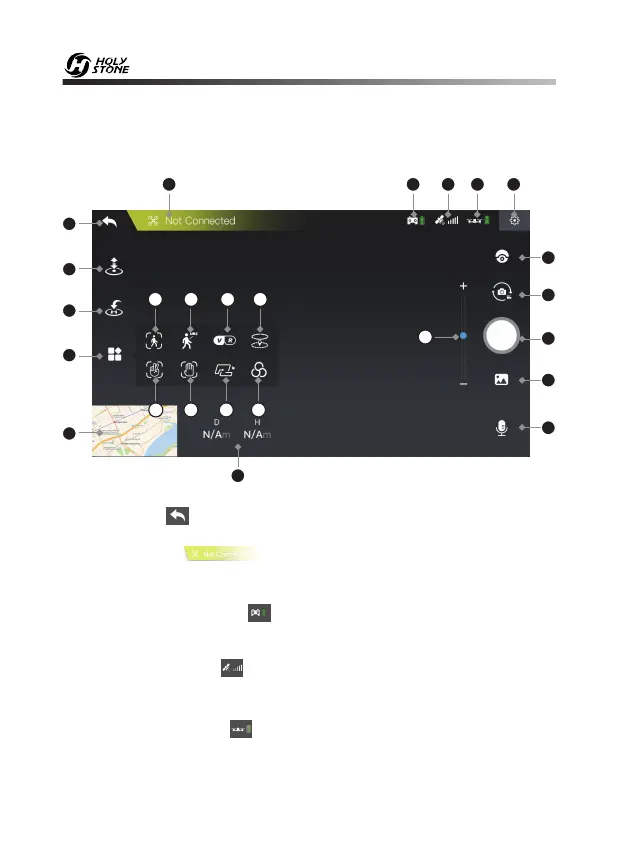
13.1 Operation Interface
1. Homepage ( ): Tap this icon to return to the main menu.
2. System Status ( ): This icon indicates drone flight status and
various warning messages.
3. Transmitter Battery Level ( ) Real-time display of the current remaining
battery level of the transmitter.
4. GPS Signal Strength ( ): Shows the current GPS signal strength. White
bars indicate adequate GPS strength.
5. Drone Battery Level ( ): Real-time display of the current remaining
battery level of the drone.
1
3
4
5
6
2
7
8
9
10
11 12
14
15 16
23
18
19
20
21
22
25
24
13
17














 To Next Page