-31-
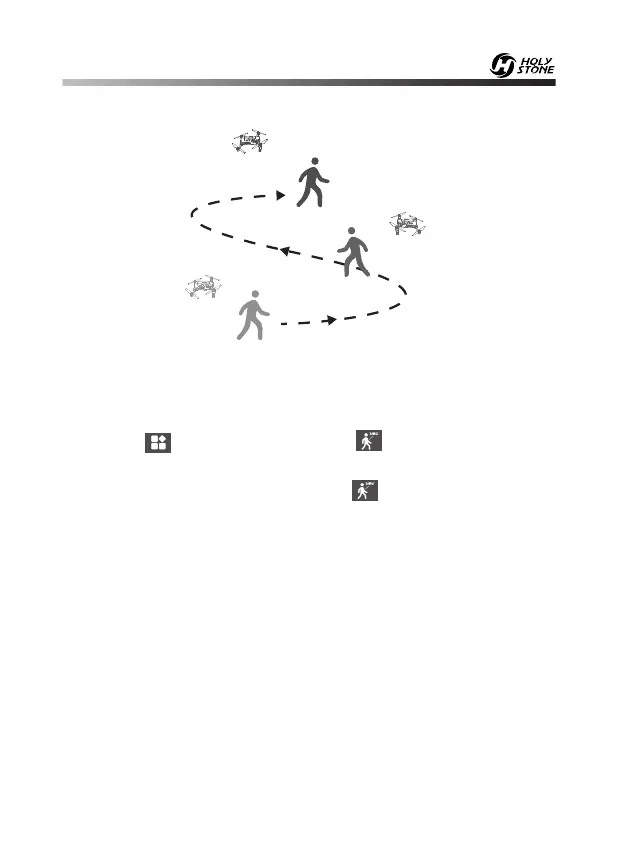
13.2 Follow Me
Common Issues:
① The Follow Me function can only be used if the flight range is within
30~160 feet.
② Follow Me mode may be difficult to activate if the phone’s GPS signal is
too weak. This could be due to the signal loss from surrounding buildings,
trees, or congestion from too many mobile phones in the area.
③ Use in an open area and be mindful of your surroundings. The drone is
NOT equipped with obstacle avoidance.
When the Follow Me function is enabled, the drone will follow the GPS in
your smart phone to follow you wherever you go.
1. Ensure the drone's flight range is within 30~160 feet/10~50m.
2. Click the “ ” icon first, then select the “ ” icon to enter the Follow
Me function — the drone will now follow the phone’s coordinates.
3. To exit Follow Me Mode, simply click the “ ” icon on the app interface
again.














 To Next Page