-32-
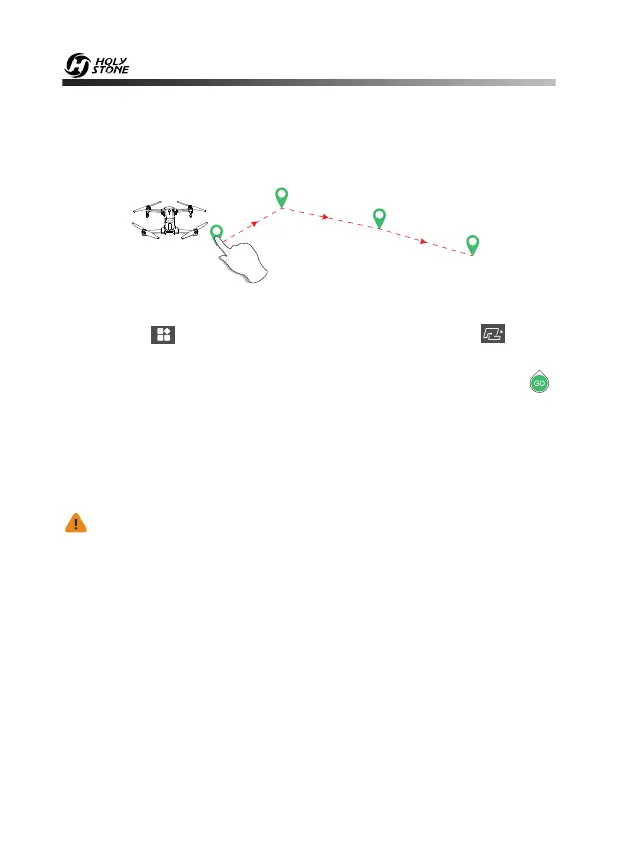
13.3 Waypoint Mode
·DO NOT fly the drone towards people, animals, or small/ fine objects
(e.g. tree branches and power lines) or transparent objects (e.g. glass
or water).
·There may be some deviation between the expected and actual
flight path.
It is recommended to enlarge the map if you want to use Waypoint Mode.
1. Click the“ ” icon on the app interface, then click the “ ” icon,
read and understand the prompts.
2. Set any point (16 points at most) on the screen to create a path. Click“ ”
icon to submit the route. The drone will now fly along the path according
to the points connected on the map.
3. You can push the direction joystick to exit the Waypoint Mode. Drone will
stop and hover after exiting from Waypoint Mode.
1
2
3
4



 To Next Page