- - - - - - - - - - - - - - - - - - - - - - - - - - - - - - - - - - - - - - - - - - - - - - - - - - - - - - - - - - -
-12-
7.0 INSTALLATION
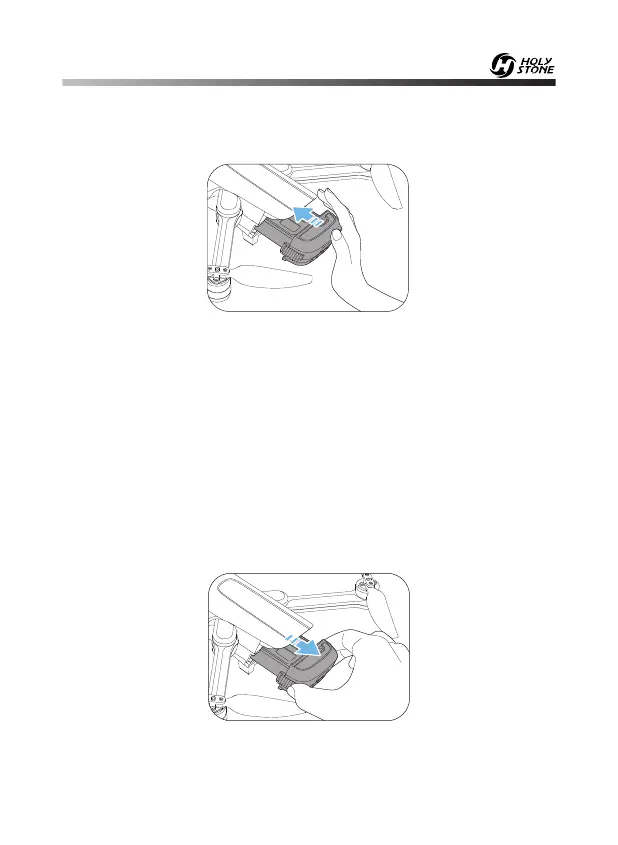
Installation: Push the battery into the battery compartment at the rear of
the drone. Make sure that you hear a click sound indicating the battery is
firmly installed.
Removal: As shown above, press the battery lock on both sides of the
battery, and pull it back to remove the battery.
7.1 Drone Battery
Attention:
·Before installing the battery, please remove the insulation gasket from
the battery.
·The battery should be installed firmly, failure to do so may affect the
flight safety of your drone. The drone may crash due to a power-cut
during the flight.













 To Next Page