6 TF 50 E | Version 1.05
Safety
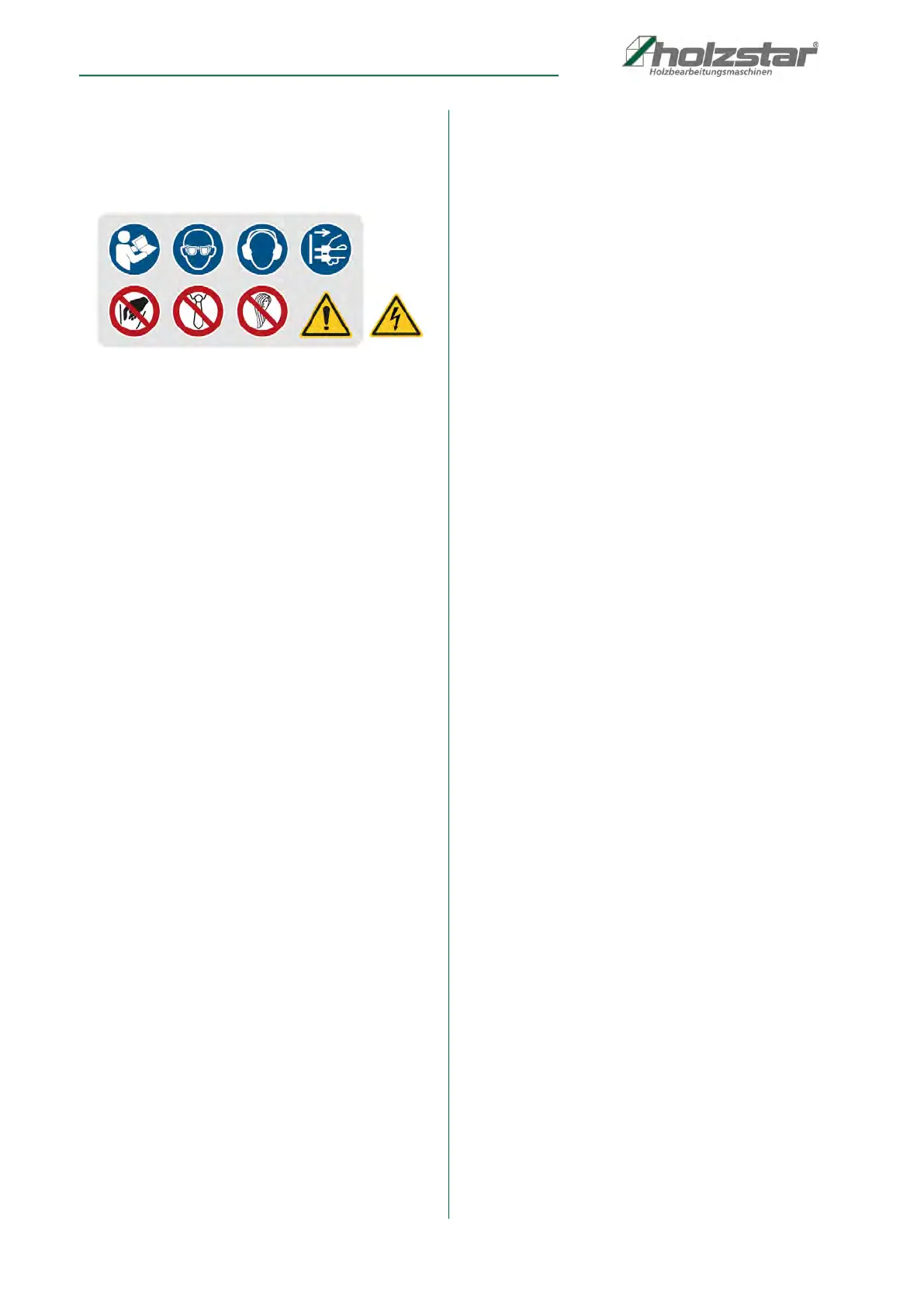
2.5 Safety markings on the table router
The following safety markings affixed to the table router
(Fig. 1) must be observed and followed.
Fig. 1: 1 Mandatory sign (observe instructions for use / wear eye
protection / wear ear protection / disconnect the plug) |
2 Prohibition sign (do not reach into machine / operation with
loose clothing prohibited / operation with long hair prohibited) |
3 General warning sign | 4 Danger high voltage
The safety markings which are applied on the machine
must not be removed. Damaged or missing safety
markings may lead to errors, personal and material
damages. Immediately replace them.
Decommission the machine if the security symbols
cannot be recognised nor understood at the first glance,
until the new security symbols are applied.
2.6 Safety devices
Motor protection switch
The table router is equipped with a thermal circuit
breaker that switches off the motor automatically in the
event of thermal overload.
The motor can be restarted once the cause of the
overload has been rectified and the motor has cooled
down completely.
Electromagnetic switch
The table router is equipped with an electromagnetic
switch. If the power supply is interrupted, the switch
moves to the OFF position. In order to start the motor, the
green ON button must be pressed again.
2.7 Safety data sheets
Safety data sheets for hazardous materials can be
obtained from your specialist dealer or by calling +49
(0)951/96555-0.
Specialist dealers can find safety data sheets in the
download area of the partner portal.
2.8 General safety notes
This machine is equipped with various safety devices
designed to protect both the operator and the machine.
However, the devices cannot cover all safety aspects
and absolve the operator of his responsibilities. Before
operating the machine, you must have read and fully
understood this chapter. The operator must also
consider other aspects of the hazard relating to
environmental conditions and the material.
Please observe the following points:
Before connecting the machine to the mains power
supply, make sure that all the safety devices are placed
in their active positions and are functioning correctly.
Should you ever need to remove the protective covers,
always switch off the machine and disconnect the plug
beforehand.
- Always use the table router and tools in a dry
environment and make sure that the working
environment is clean. Operating the machine in
explosive and highly flammable locations is
prohibited.
- Provide for sufficient illumination.
- Protect the table router from environmental
influences and do not leave exposed to direct
sunlight or rain.
- Keep children and persons who are not familiar with
the table router away from your working
environment.
- Do not overload the machine! It works better and
more safely within the specified power range.
- Wear close-fitting clothing and remove any objects
from the body that may cause entanglement in the
machine. If necessary, use a hairnet.
- Always wear the necessary safety equipment (safety
goggles, protective clothing, safety shoes, ear
protection, etc.). Wearing non-slip footwear is
recommended when operating the machine.
- Wear a helmet when working in the vicinity of
overhead obstacles.
- Always wear a protective mask when handling
materials that will generate dust during the working
process.
- Make sure that you are standing in a stable position.
- Do not pull the plug from the socket by the cable.
Protect the cable against heat, oil and sharp edges.
- Operating the machine to process wood, wood-
based materials and plastics in closed spaces is
only permitted together with a suitable extraction
system.
- When processing long workpieces, use an additional
support (table, trestles, etc.) to prevent the machine
from tipping over.
- Always press the workpiece firmly against
the work surface and fence to prevent the workpiece
from vibrating or twisting.
2
3
4
1
2
6
2
4
3



 To Next Page