Stack’d Series HOMEGRID Technical
Page 17 Chapter3: How to use Monitoring Software EMS Tools
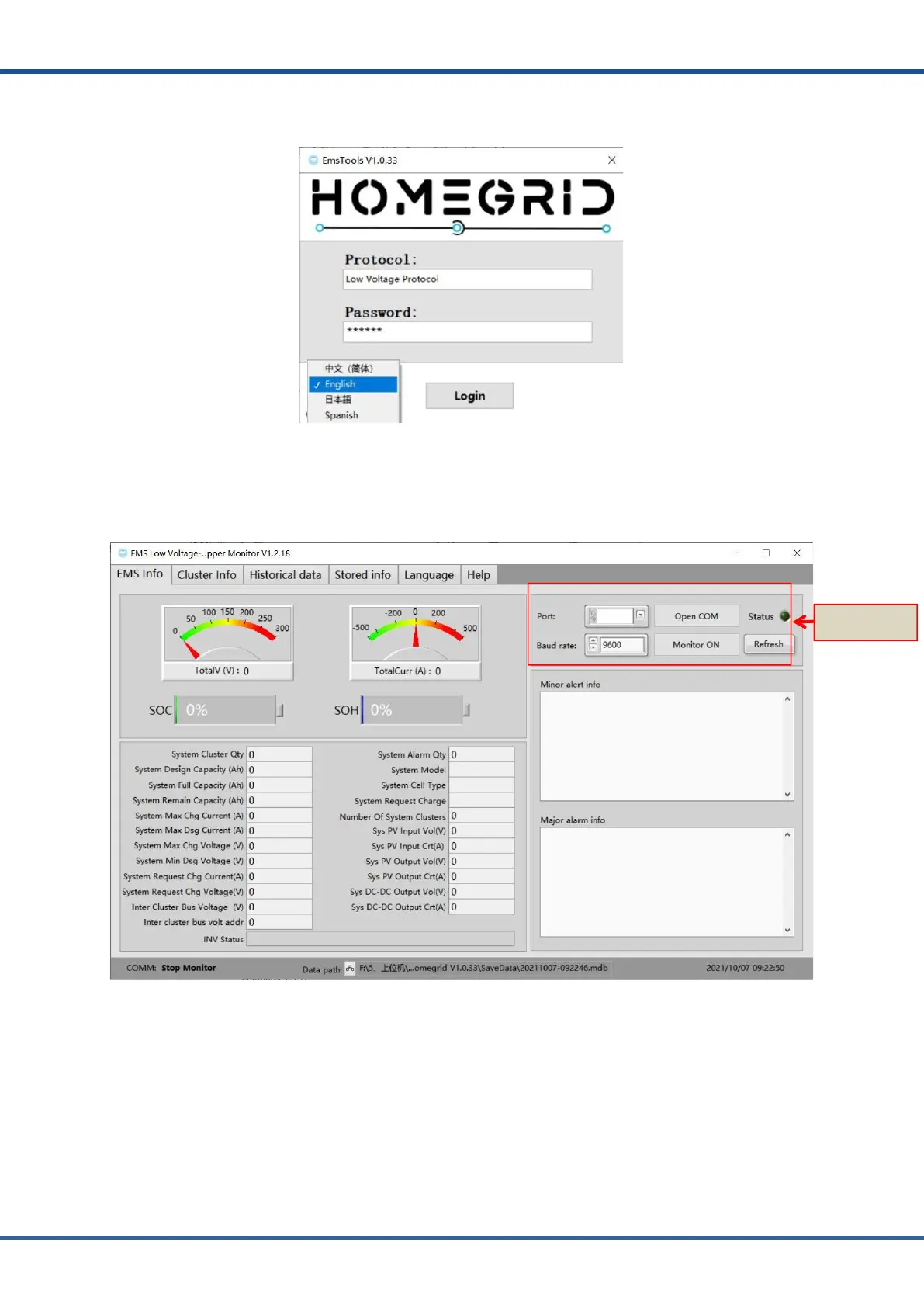
4) Users can set different languages according to their own needs. We support four
languages, which are Simplified Chinese, English, Japanese and Spanish.
Figure3.1.4.MonitoringSoftwareEmslanguageselection
5) Select the serial port number in the EMS low voltage version of the Monitoring
Software EMS tool, and the default baud rate is 9600. Click the open com and monitor
open buttons.
Figure3.1.5.MonitoringSoftwareEmsserialportsettings



 To Next Page