Stack’d Series HOMEGRID Technical
Page 7 Chapter3: How to use Monitoring Software EMS Tools
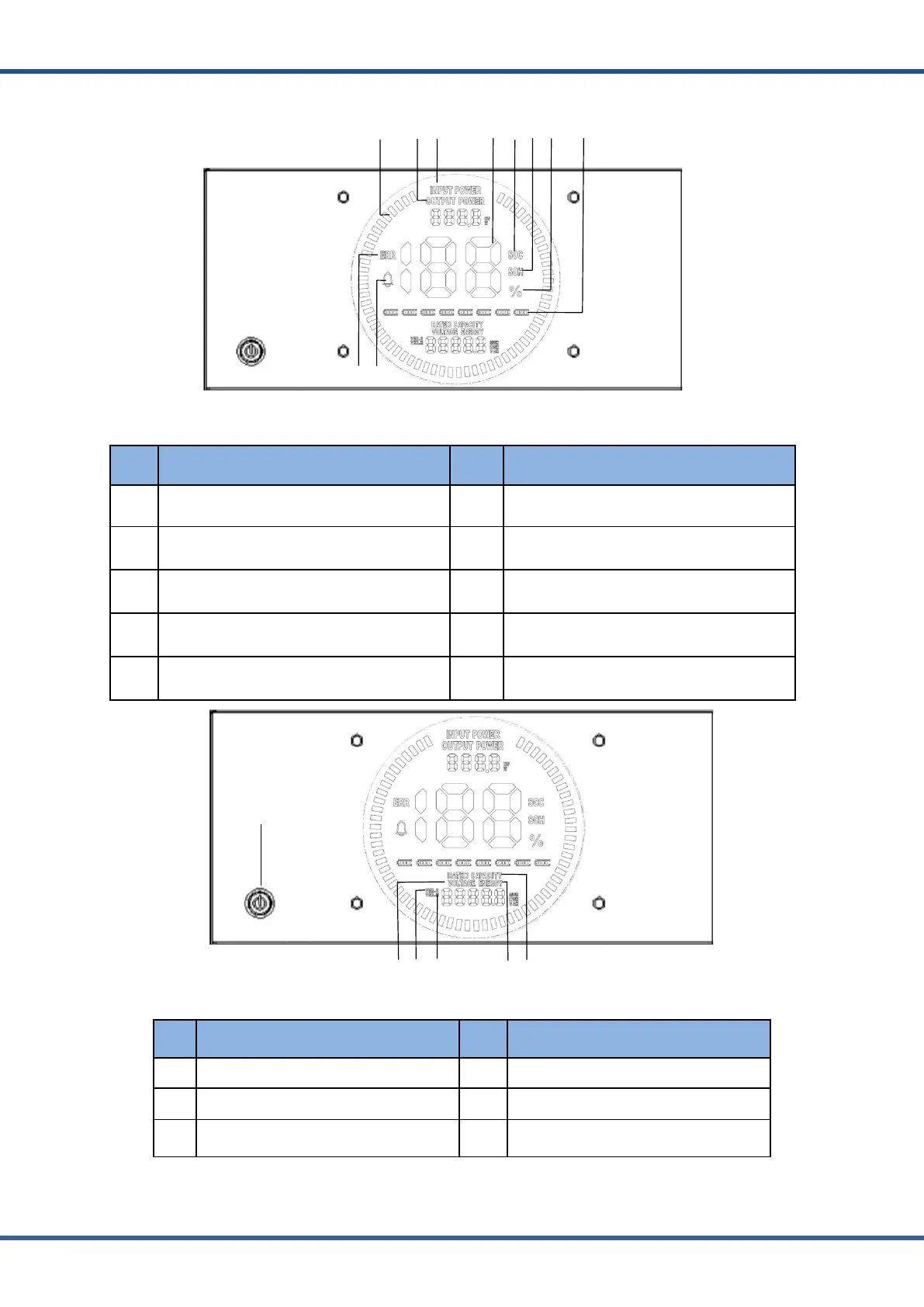
2.4. Equipment Interface Instruction
Figure2.4.1Controllermodulepositive
No. Instructions NO. Instructions
1 Animated streamline 6 Battery state of health (SOH)
2 Discharge power 7 Numerical percentage
3 Charging power 8 Number of modules
4 Numerical information 9 Fault (error)
5 Battery state of charge (SOC) 10 Alarm (warning)
2
3 4 5 6
Figure2.4.2Controllermodulepositive
No.
Instructions
NO.
Instructions
3
Software version
6
Capacity of a new battery



 To Next Page