Stack’d Series HOMEGRID Technical
Page 18 Chapter3: How to use Monitoring Software EMS Tools
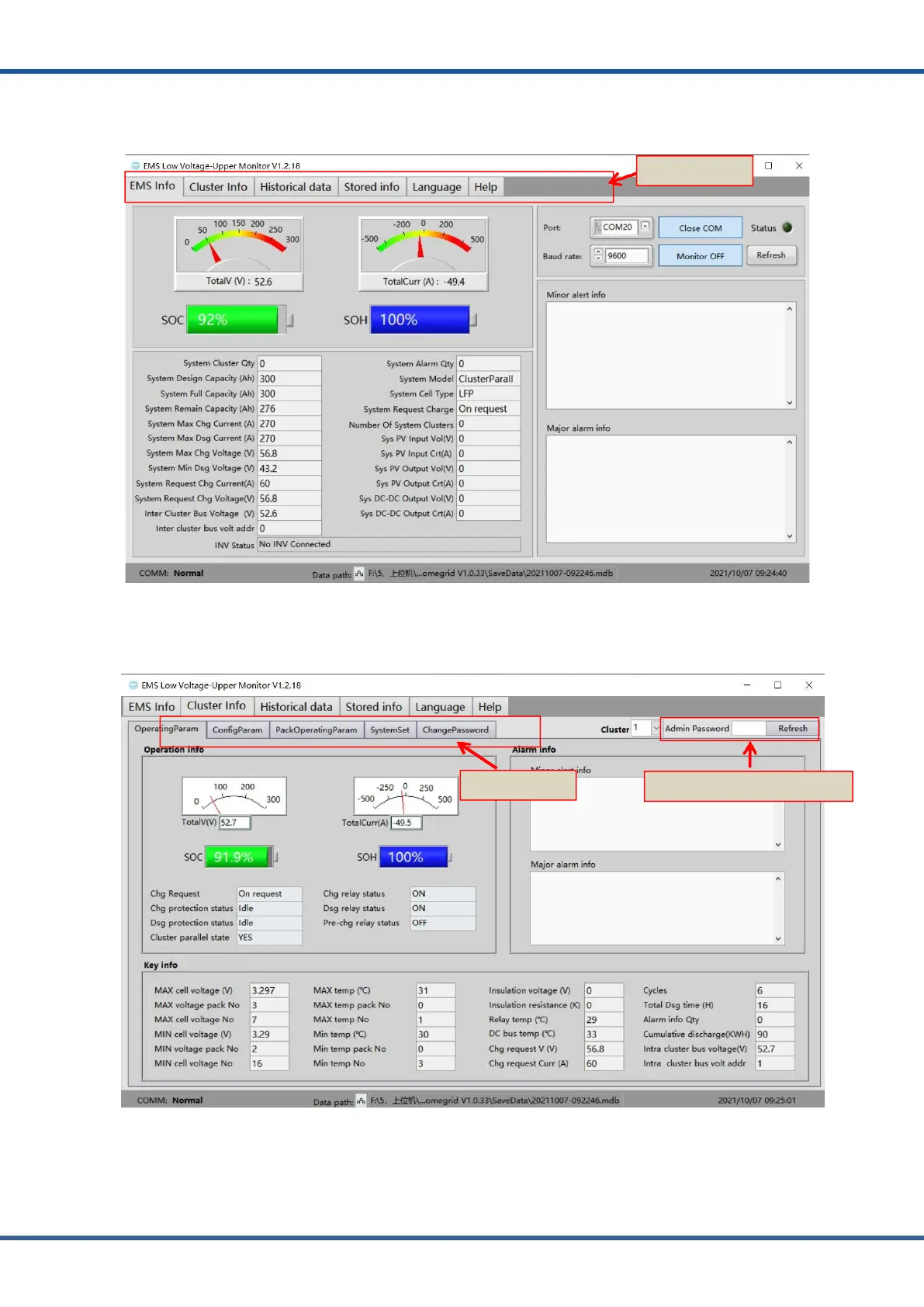
6) The corresponding functions can be selected through the navigation bar of the
Monitoring Software EMS.
Figure3.1.6.MonitoringSoftwareEmsdataacquisition
7) Cluster information operation information, you can select the corresponding
operation information through the navigate on bar. total of 15 clusters can be monitored.
Figure3.1.7.MonitoringSoftwareClusterdataacquisition
PasswordforParameterSetting
Navigationbar
Navigationbar



 To Next Page