Stack’d Series HOMEGRID Technical
Page 27 Chapter 6: Installation
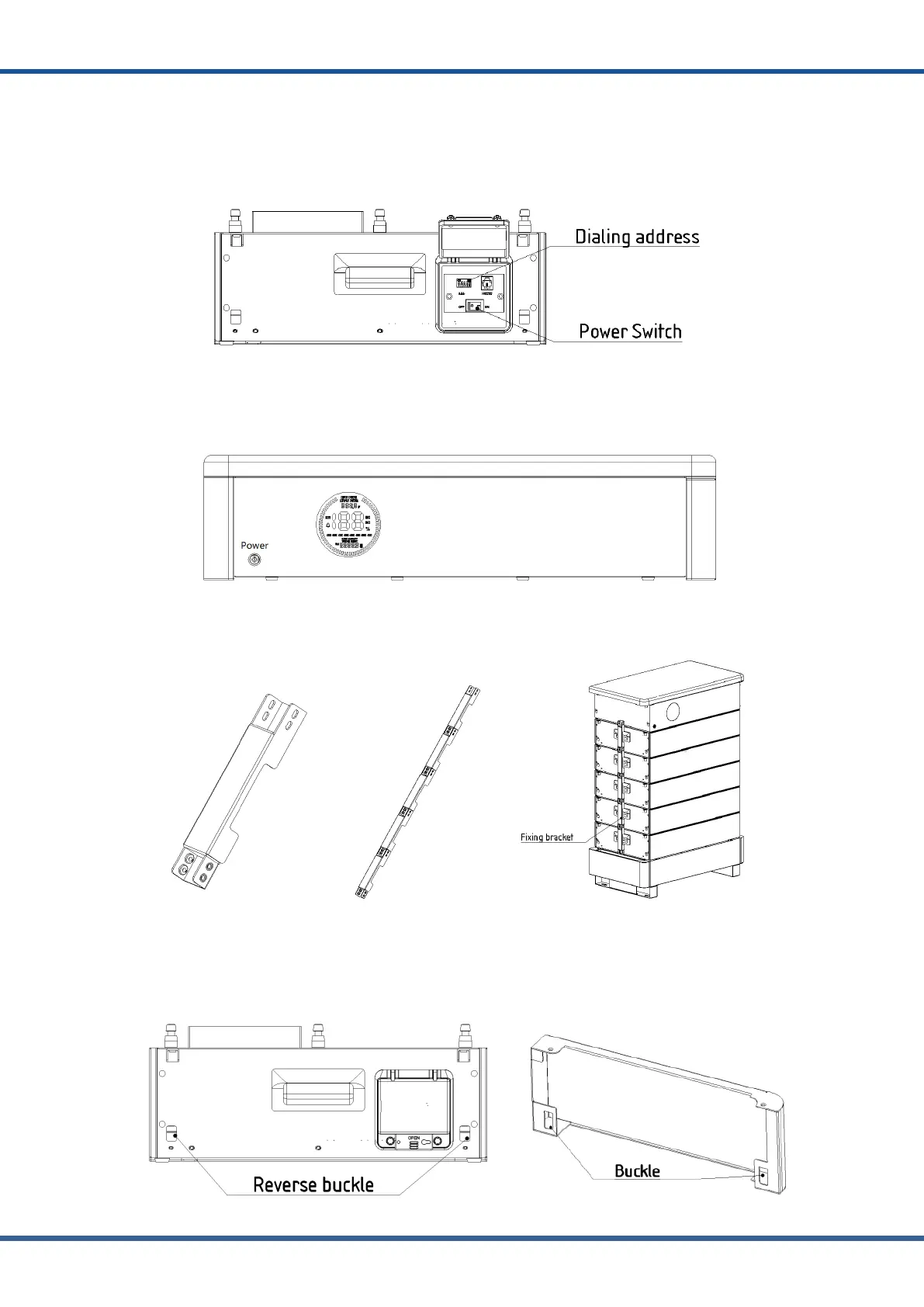
(4) When the battery modules are stacked and installed, it is necessary to check whether the
switch is closed and sort from top to bottom according to 1 ~ 5 addresses, After installation
and setting, press the switch button on the right panel of the lithium battery module from
bottom to top.
(5) Turn on the main control switch, observe that the display screen has no alarm protection
status, the number of battery modules has no loss and flicker, and the system parameters and
status display are normal
(6)Assemble the fixing brackets for the battery module accessories into a long strip and
mount them in the middle of the left-hand side of the system.
(7)After normal operation, the system protection side plate shall be installed on the battery
module and the main control device to prevent scratches and bumps inside the battery
Connect and fix the barbs at both ends of the battery module with the snap of the protective
side plate



 To Next Page