EasyManua.ls Logo

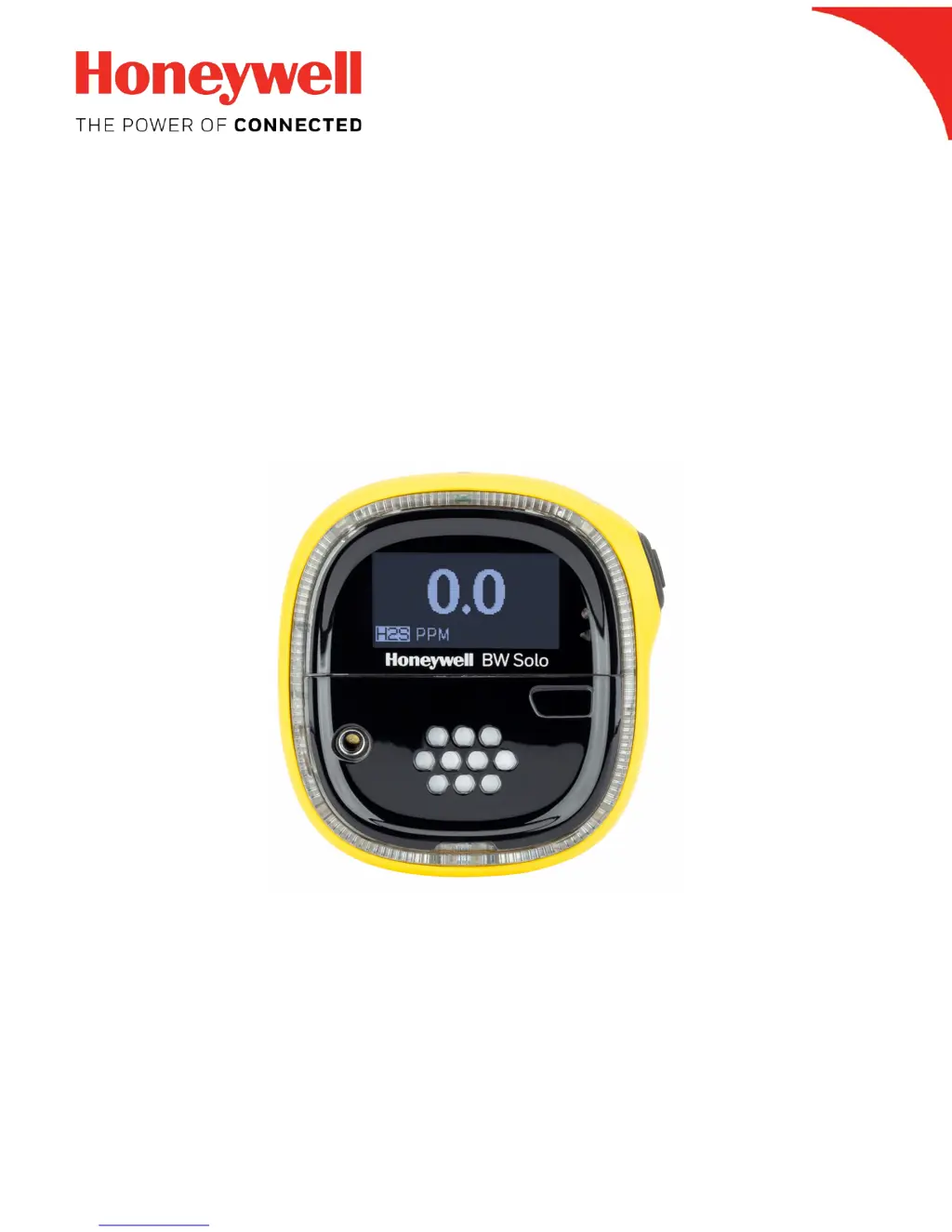
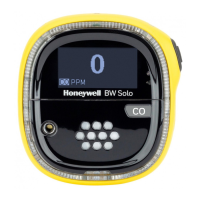
Honeywell BW Solo - User Manual

Honeywell BW Solo
49 pages
Print Icon
To Next Page IconTo Next Page
Loading...
Honeywell BW Solo User Manual
1
Honeywell
BW
TM
Solo User Manual
Rev. A
October 2018
P/N: G05-4001-000

Questions and Answers

  • B
    Brianna ShawJul 27, 2025
    Why does my Honeywell BW Solo Security Sensors not accurately measure the gas?
    • N
      Nicholas JacobsJul 27, 2025
      If your Honeywell Security Sensor isn't accurately measuring gas levels, there could be a few reasons. First, the detector might need calibration—try calibrating the sensor. Also, make sure the detector has had time to adjust to the ambient temperature before use. Lastly, check if the sensor filter is blocked and clean it if necessary.
  • L
    Lacey BartonJul 31, 2025
    What to do if Honeywell Security Sensors detector does not activate?
    • W
      wesleycolonJul 31, 2025
      If your Honeywell Security Sensor detector doesn't activate, here are a few things to check: * First, make sure a battery is installed, and if so, ensure it isn't depleted. Replace the battery if needed. * Also, verify that the battery is correctly installed. If the problem persists, it may be a damaged or defective detector, in which case you should contact Technical Support.
  • A
    Angela NewmanAug 4, 2025
    What to do if Honeywell BW Solo Security Sensors does not respond to the pushbutton?
    • N
      Natalie HarveyAug 4, 2025
      If your Honeywell Security Sensor doesn't respond to the pushbutton, the battery may be depleted, so replace it. Alternatively, the detector might be performing operations that don't require user input. In this case, pushbutton operation should automatically restore when the current operation ends.
  • M
    Mrs. Kristen Carey DDSAug 8, 2025
    Why does Honeywell BW Solo Security Sensors enter alarm mode immediately when activated?
    • D
      Douglas RushAug 8, 2025
      If your Honeywell Security Sensor goes into alarm mode immediately upon activation, it could be due to a few reasons. If it's a used sensor, allow 60 seconds for it to stabilize. If it's a new sensor, wait 5 minutes. Also, check if it's a low battery alarm and replace the battery if needed. If it's a sensor alarm, consider replacing the sensor.
  • C
    carriewileyAug 13, 2025
    What to do if Honeywell BW Solo Security Sensors does not enter alarm mode?
    • B
      brandon71Aug 13, 2025
      If your Honeywell Security Sensor isn't entering alarm mode, it might be due to incorrect alarm setpoints. Try resetting the alarm setpoints. Ensure the alarm setpoints are not set to zero, and also check if the detector is in calibration mode; if so, complete the calibration process.
  • D
    Dawn LopezAug 17, 2025
    What to do if Honeywell BW Solo does not display a normal ambient gas reading after the activation self-test?
    • R
      Ryan NormanAug 17, 2025
      If your Honeywell Security Sensor does not display a normal ambient gas reading after the activation self-test, it could be because the target gas is present, indicating the detector is working correctly. Exercise caution in suspect areas. Alternatively, the detector may require calibration, so calibrate it. Also, the sensor may not have stabilized yet; if it's a used sensor, wait 60 seconds, or if it's a new sensor, wait 5 minutes.
  • G
    gibsontimothyAug 22, 2025
    What to do if Honeywell Security Sensors start-up self-test fails?
    • W
      William BridgesAug 22, 2025
      If the start-up self-test fails during one of the checks on your Honeywell Security Sensor, it could be due to a general fault, in which case you should contact Technical Support. It could also mean that the alarm setpoints are incorrect, so try resetting them.

Summary

Product Introduction and Initial Setup

Standard Package Contents

Lists all items included in the detector's initial package.

General Information and Key Features

Overview of the BW Solo's capabilities, software, and primary functions.

Initial Setup Procedure

Guide to configuring language, time, and date upon first use.

Device Interface and Connectivity

User Interface and Display Overview

Details the front and back components, display screen, and button functions.

Status Indicator Icons

Explains on-screen icons indicating battery, bump, calibration, and sensor status.

BLE Connectivity and Smartphone Pairing

Instructions for Bluetooth Low Energy operation, icons, and pairing with mobile devices.

Essential Operations and Maintenance

Battery Status and Replacement

Information on battery life indicators and safe replacement procedures.

Bump Testing and Calibration

Procedures for performing daily bump tests and periodic calibrations.

Filter and Sensor Replacement

Guide to replacing the sensor filter and the gas sensor itself.

Navigation, Settings, and Troubleshooting

Navigation and Menu Access

Explains how to navigate through the instrument's menus using the single button.

Information and Event Logs

How to access and navigate instrument information and captured event logs.

Configuring Device Settings

Covers adjustment of language, time, units, setpoints, reminders, and other parameters.

Troubleshooting Common Issues

Provides solutions for frequently encountered problems with the detector.

Safety, Specifications, and Warranty

Safety Warnings and Precautions

Essential safety instructions, warnings, cautions, and operating environment guidelines.

Technical Specifications

Detailed technical data including size, weight, sensors, and operating ranges.

Limited Warranty and Liability

Information regarding the product's warranty coverage and limitations.

Honeywell BW Solo Specifications

General IconGeneral
Sensor TypeElectrochemical
DisplayLCD
Gases DetectedH2S, CO, O2
Alarm IndicatorsVisual, vibrating, and audible alarms
Alarm Sound Level95 dB at 30 cm
Battery TypeLithium-ion rechargeable
Ingress ProtectionIP66
CertificationsATEX, IECEx, CE, UL
Humidity Range0% to 95% RH (non-condensing)

Related product manuals