NFS2-640 Operations P/N 52743:L4 06/10/19 57
Releasing Zones (R0-R9) Special Zone Operation
A.2.2 How to View Releasing Zone Selections
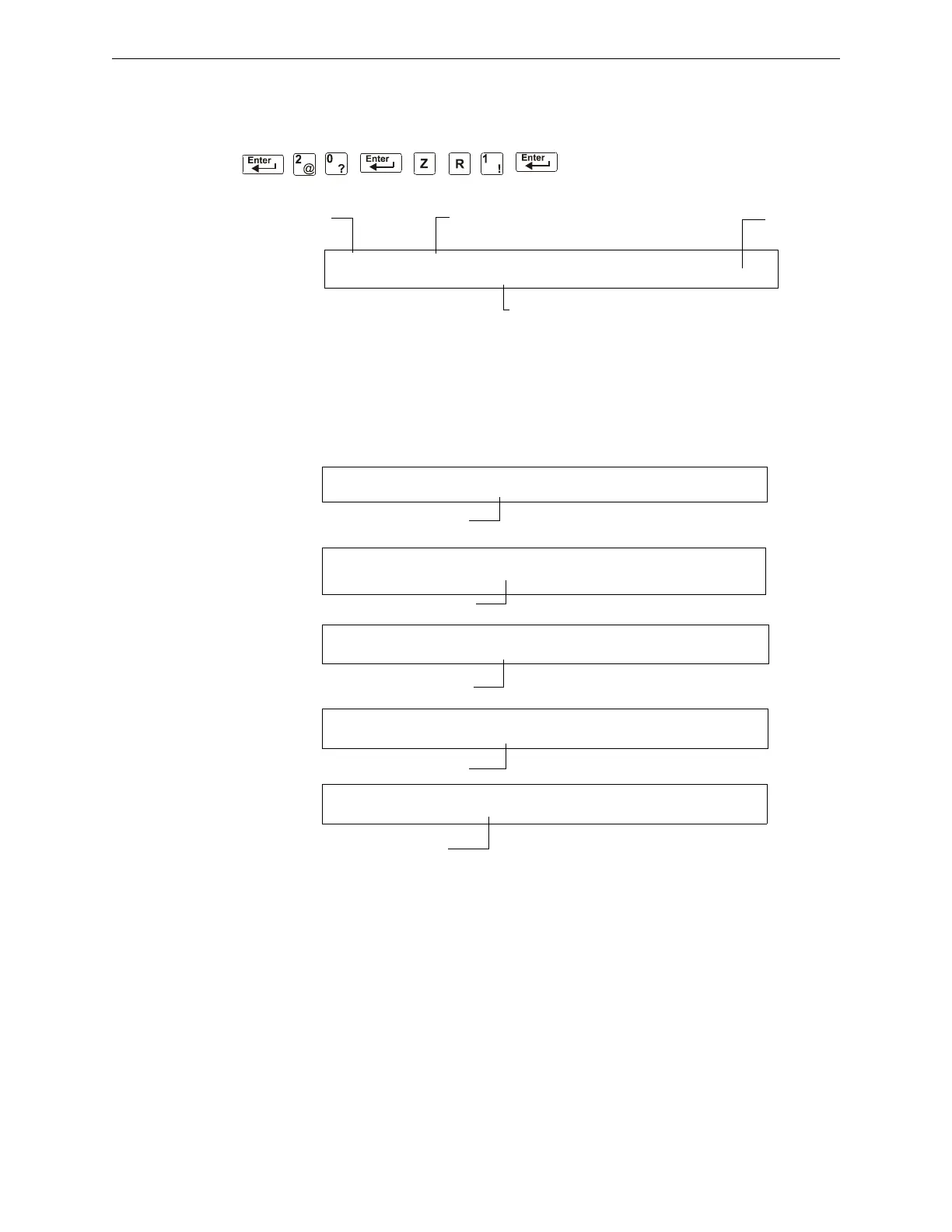
You can use the Read Status Entry option to view the current selections for a Releasing Zone. For
example, to view selections for Releasing Zone R1, press the keys in sequence:
A sample LCD display of a Releasing Function selected for Releasing Zone R1:
Figure A.1 Sample Read Status for a Releasing Zone
A.2.3 How Releasing Zones Operate
The figure below contains an illustrated example of how Releasing Zones work, using cross zone
selections with four detectors and a NAC mapped to Releasing Zone 1 (listed as ZR1 in the CBE
list). Table A.2 lists the cross zone selections and the conditions that activate the Releasing Zone:
Releasing Function status banner Status (On or Off)
Releasing
Zone R1
Abort Function selection for the Releasing Zone
OFF RELEASE FUNCT RELEASE CONTROL
DELAY=00 ABORT=ULI CROSS=N SOK=0000 R01
CBE list = O1 R1
CBE list = O1 R1
CBE list = O2 R1
CBE list = 02 R1
CBE list = R1
PROGRM SMOKE(PHOTO) DETECTOR ADDR 2D101
01 R1 __ __ __A8P8** 2D101
PROGRM SMOKE(PHOTO) DETECTOR ADDR 2D102
01 R1 __ __ __A8P8** 2D102
PROGRM SMOKE (ION) DETECTOR ADDR 2D103
02 R1 __ __ __A8P8** 2D103
PROGRM HEAT(ANALOG) DETECTOR ADDR 2D104
02 R1 __ __ __A8P8** 2D104
PROGRM RELEASE CKT FRONT HALLWAY NO. 3
R1 __ __ __ __ I** B03


 To Next Page
 Loading...