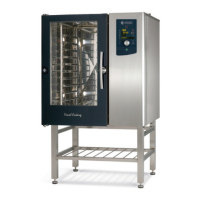
What to do if my HOUNO Visual Cooking C displays 'Stop during operation'?
- Jjerry21Sep 8, 2025
If your HOUNO Convection Oven displays 'Stop during operation', it indicates that there was a gas failure during operation. Try to restart the oven.
What to do if my HOUNO Visual Cooking C displays 'Stop during operation'?
If your HOUNO Convection Oven displays 'Stop during operation', it indicates that there was a gas failure during operation. Try to restart the oven.
What should I do if my HOUNO Visual Cooking C Convection Oven displays 'Fan running too slow'?
If your HOUNO Convection Oven displays 'Fan running too slow', check the inlet filter at the bottom of the panel.
What to do if my HOUNO Visual Cooking C is too hot?
If your HOUNO Convection Oven is too hot, it might be because the oven chamber thermo switch has tripped. You can attempt to reconnect it by pressing the button located under the oven.
What to do if my HOUNO Visual Cooking C Convection Oven displays 'Pressure switch active'?
If your HOUNO Convection Oven displays 'Pressure switch active', it means the pressure switch or gas valve input is active when the fan is not running. Try to restart the oven.
What does it mean if my HOUNO Visual Cooking C displays 'IO board hot'?
If your HOUNO Convection Oven displays 'IO board hot', it indicates that the internal temperature of the IO board has been too high. Clean the inlet filter at the bottom of the panel.
What to do if the HOUNO Visual Cooking C displays 'Drain too hot'?
If your HOUNO Convection Oven displays 'Drain too hot', it means the drain temperature has been above 75°C for more than 5 minutes. Check that the water is turned on and that the jet in the drain is working properly.
What to do if my HOUNO Visual Cooking C Convection Oven displays 'Invalid program'?
If your HOUNO Convection Oven shows 'Invalid program', it means you have chosen a program that is not supported by the oven. Select a supported program.
What does it mean when my HOUNO Visual Cooking C Convection Oven says 'Programme interrupted'?
If your HOUNO Convection Oven displays 'Programme interrupted', it means a program in progress was interrupted because of a power supply interruption. Restart the program if possible.
What to do if my HOUNO Visual Cooking C fan is too hot?
If the fan in your HOUNO Convection Oven is too hot, it is possible that the thermo switch in the motor has tripped. Wait for 10 minutes, and then try again.
What should I do if my HOUNO Visual Cooking C displays 'Water shortage'?
If your HOUNO Convection Oven displays 'Water shortage', the steam generator was not filled with water within 2 minutes. Check that the water is turned on.
Safety information specific to gas-powered ovens, including extraction hood usage.
Steps to take immediately if a gas leak is detected in the oven area.
Guidelines and restrictions for oven maintenance and repair procedures by trained technicians.
Specifications for oven weight capacity and maximum food load for electric and gas models.
Instructions on how to turn the oven on and safely open the oven door.
Overviews of cooking modes available for C & K, B, and CombiSlim oven models.
Explanation of the start/stop button functionality and basic interaction.
Steps to set the desired cooking temperature and time using the display.
Instructions for setting the core probe temperature for precise cooking control.
Details on using the humidification function specific to B model ovens.
How to operate the exhaust function, primarily available in Hot Air mode.
Instructions on adjusting fan speed for optimal cooking results across different products.
Reference to the section detailing how to make and use cooking programs.
Detailed guide on using the Hot Air cooking mode and its specific settings.
Explanation of the CombiSmart function for temperature and humidity control.
Guide to using the Cook & Regen mode for gently regenerating prepared products.
Instructions for using the Proving function for raising bread with humidity.
Guide to the Steaming mode, including temperature settings and product recommendations.
Information on the Preheat function, available on B model ovens.
Steps for creating, saving, and executing cooking programs with up to 10 steps.
Instructions for adding or modifying text labels for programs using the display.
How to input and modify data for each step within a cooking program.
Detailed steps for cleaning the oven chamber using the CombiWASH function and selecting cleaning levels.
Procedures for safely removing and inserting the oven trolley for cleaning or maintenance.
Instructions for cleaning the external surfaces of the oven using appropriate materials.
Steps to clean the area behind the air baffle in Visual Cooking models.
Procedures for removing racks and the air baffle in CombiSlim models for cleaning.
Guide to cleaning the jet heads in Visual Cooking models after use.
Instructions for cleaning the air filter for both Visual Cooking and CombiSlim models.
General advice for using the core probe and spacing trays in the oven for optimal results.
Recommended core temperatures for various meat cuts (Beef, Veal, Pork, Lamb).
Advice on cooking tougher meats and holding meat for buffets at safe temperatures.
Recommended core temperatures for cooking fish varieties.
Recommended core temperatures for achieving Delta-T cooking results.
Troubleshooting steps for generator, oven, fan, and drain overheating errors.
Troubleshooting steps for defective oven, probe, generator, or drain sensors.
Troubleshooting steps for water shortage in the steam generator.
Troubleshooting for SSR, generator, fan, and IO board overheating or slow issues.
Troubleshooting for internal software, communication, and program execution errors.
Troubleshooting for steam generator draining failures and ClimaOptima calibration issues.
Troubleshooting for ClimaOptima, alarm, and door sensor defects.
Troubleshooting for water pressure, detergent, memory, and software issues.
Troubleshooting steps for 24V AC failure and main contactor output issues.
Troubleshooting for gas, pressure switch, valve, fan, and ignition system failures.
Overview of HOUNÖ's general terms and conditions for the 4-year warranty.
Details specific conditions not covered by warranty and governing legal jurisdiction.
| Brand | HOUNO |
|---|---|
| Model | Visual Cooking C |
| Category | Convection Oven |
| Language | English |