Technical Service Manual M9 Transfer Stretcher (M999-29, Version 11, June 2021) 23
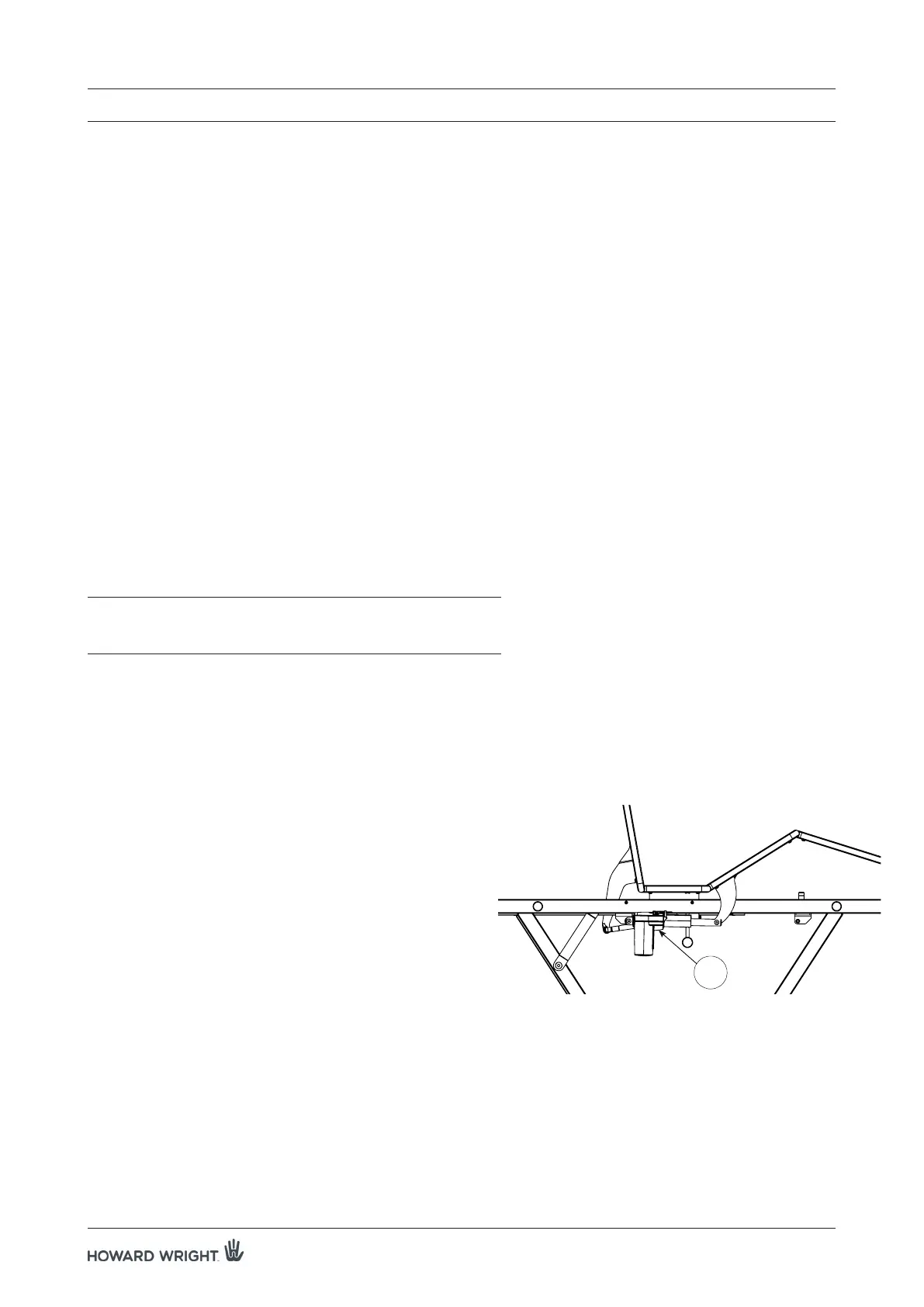
KNEEBREAK ACTUATOR
Summary:
This service instruction outlines the procedure to replace the kneebreak actuator.
Tools Required:
• 5mm hex key
• 13mm spanner
• side cutters
Parts Required:
• 1x kneebreak actuator
Location:
The kneebreak actuator (A) is located on the left side of the stretcher.
WARNING: Ensure the actuator cable is secured away from
moving parts, but allowing sufficient length for
elevator movement.
Procedure:
1. Raise the deck to the maximum height position, ensure the
deck is flat and apply castor brakes.
2. Unplug the stretcher from the mains supply.
NOTE: For pre June 2015 Models, remove plug locator
securing the cable plug to the actuator.
3. Using a 5mm hex key and a 13mm spanner, disconnect
the actuator by removing the two shoulder bolts holding
the actuator at either end.
NOTE: Raise siderail for access to actuator.
4. Reverse the procedure to install the new kneebreak
actuator (see warning above).
5. Plug the power cord into the mains supply. Verify all
stretcher functions are working correctly before returning
to service.
7. SERVICE INSTRUCTIONS
Figure 7. Location of kneebreak actuator.
(Note that deck should be flat during
actuator replacement)
A



 To Next Page