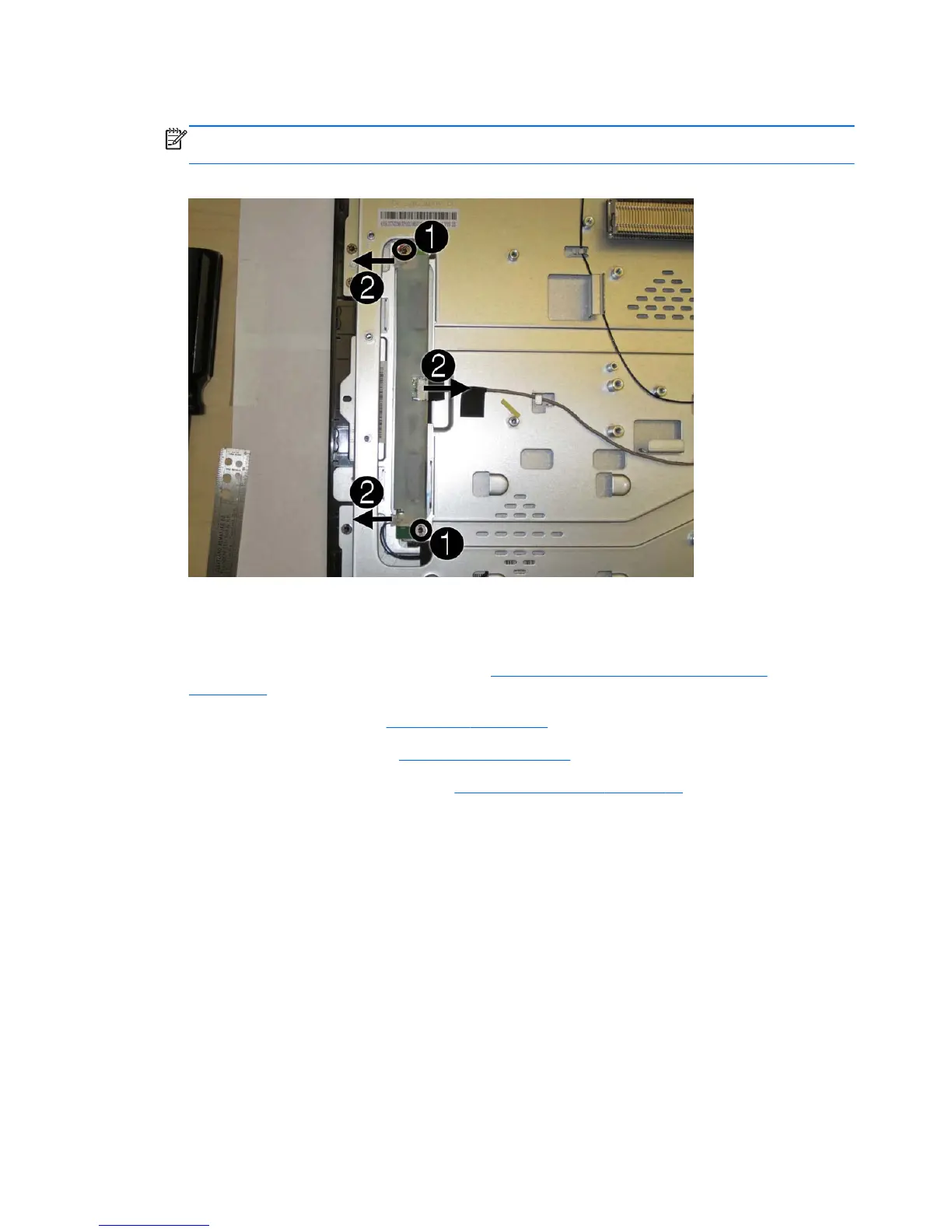
6. Disconnect the three cables from the board (2).
NOTE: Be careful not to damage the cables when disconnecting them from the board. Do not
pull on the wires.
Figure 6-42 Removing the inverter board
7. Remove the inverter board from the computer.
To remove the inverter board:
1. Prepare the computer for disassembly (see
Preparing to Disassemble the Computer
on page 26).
2. Remove the rear cover (see
Rear Cover on page 27).
3. Remove the optical drive (see
Optical Drive on page 33).
4. Remove the optical drive bracket (see
Optical Drive Bracket on page 56).
5. Remove the tape that secures the cable to the computer.
58 Chapter 6 Removal and Replacement Procedures All-in One (AIO) Chassis









 To Next Page