Inverter Board
Description Spare part number
Inverter for use with Samsung/CMI display panels 646796-001
Inverter for use with LG display panels 646797-001
Inverter board cable 646788-001
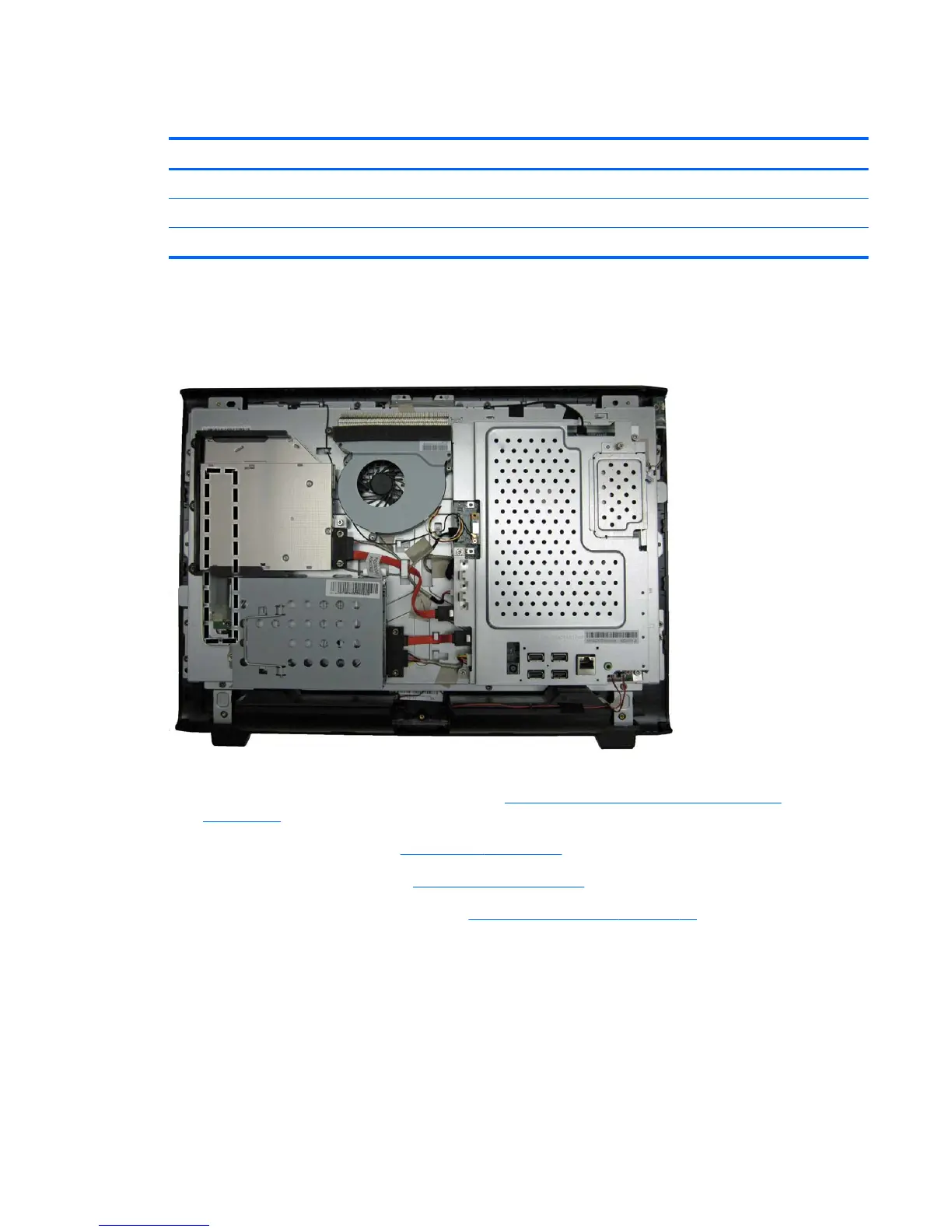
The inverter board is located on the left side of the computer under the optical drive. You must
remove the optical drive and the optical drive bracket to gain access to the inverter board. The
inverter board is secured with two screws and has three connectors.
Figure 6-41 Inverter board location
To remove the inverter board:
1. Prepare the computer for disassembly (see
Preparing to Disassemble the Computer
on page 26).
2. Remove the rear cover (see
Rear Cover on page 27).
3. Remove the optical drive (see
Optical Drive on page 33).
4. Remove the optical drive bracket (see
Optical Drive Bracket on page 56).
5. Remove the two Torx T15M3.0x6.0 screws (1) that secure the board to the computer.
Inverter Board 57









 To Next Page