WLAN Module
Description Spare part number
WLAN module (802.11a/b/g/n) 634906-001
WLAN cable and antenna 646806-001
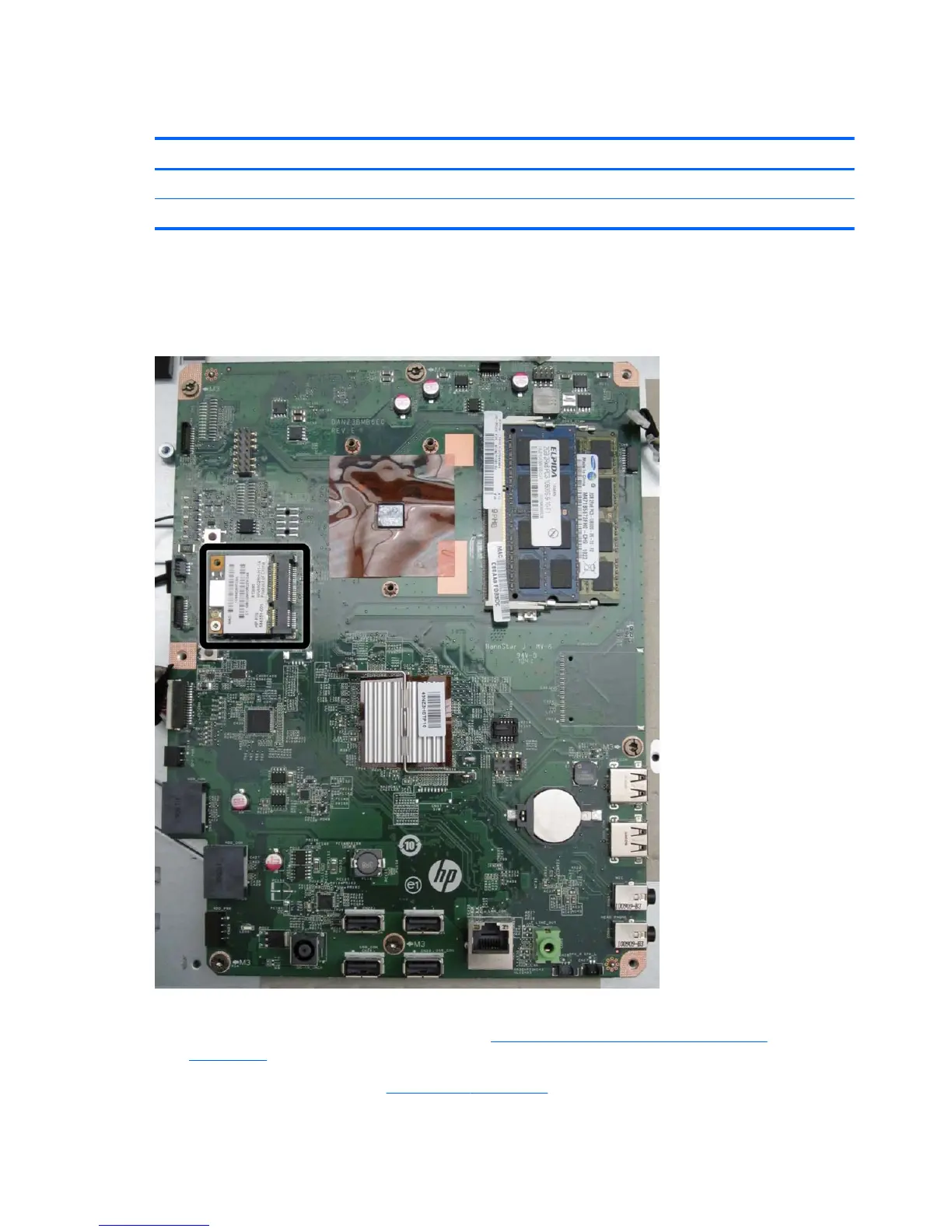
The WLAN module is located on the left side of the system board. You must remove the system
board shield to gain access to the module. One screw and one antenna connect to the module. The
antenna cable routes from the module to the antenna at the top of the computer.
Figure 6-50 WLAN module location
To remove the WLAN module:
1. Prepare the computer for disassembly (see
Preparing to Disassemble the Computer
on page 26).
2. Remove the rear cover (see
Rear Cover on page 27).
66 Chapter 6 Removal and Replacement Procedures All-in One (AIO) Chassis









 To Next Page