EasyManua.ls Logo

HP 54600A - Page 51

HP 54600A
60 pages
Print Icon
To Next Page IconTo Next Page
To Previous Page IconTo Previous Page
Loading...
..
Figure
26
-
Operating
Your
Oscilloscope
To
nalyze
video
waveforms
Polarity
Selects either positive or negative sync pulses.
Field
1 Triggers on the field 1 portion of the video signal.
Field
2 Triggers on the field 2 portion of the video signal.
Line
Triggers on all the
TV
line sync pulses.
BF
Rej
Controls a 500kHz low pass filter
in
the trigger path.
5 Set
the
time base
to
200 ,us/div,
then
center
the
signal
on
the
display
with
the
delay knob (delay
about
800
,us).
6 Press I
Main/Delayed
I ,
then
press
the
Delayed
softkey.
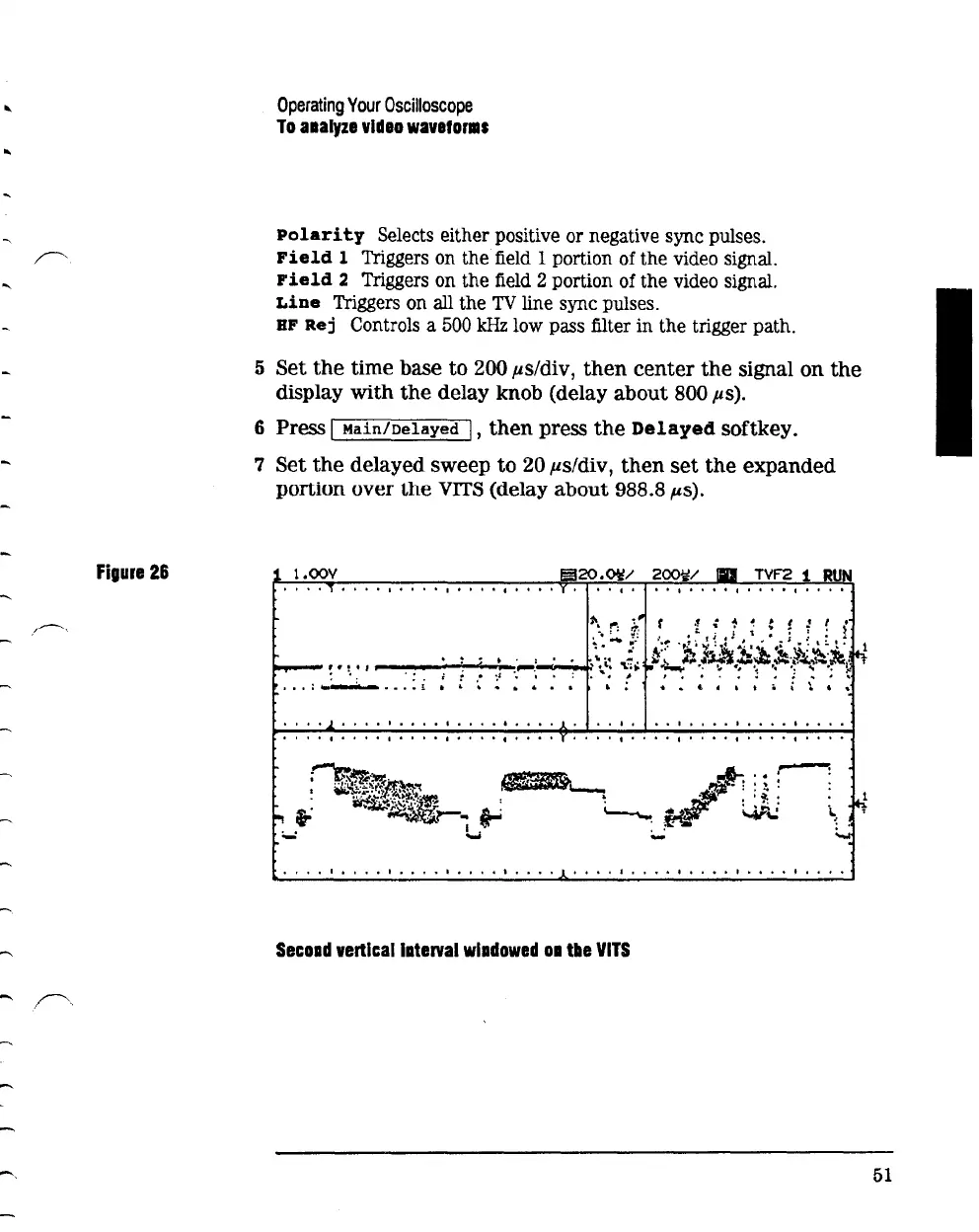
7
Set
the
delayed
sweep
to
20 ,us/div,
then
set
the
expanded
portion over
the
VITS
(delay
about
988.8
p.s).
1
l.OOV
•••
I
••••
I
....
I.........
.
!
..
~
• '
-~__;·~:
----+.,
""':
. :
..
•••
:.....-..-.-
.....
£ '
1 o o o o o o 1 I o 1 o o I o o o o I o o o o o o I I o o o I I o o o I I I o o
I I 0 I I I
It
I 1 I I I I 1
tIt
I 1 I I I I o 0 I
It
I o t I I
I'
I I
It
I I I I I 0 I
1
••
I.
I.
I
I.
I I
•••
I I I I
••
I.
I.
I I
•••
I
I'.
I
••••
I
•••
I I
••••
Secoad
vertlcallaterval
wladowed
oa
tile
VITS
51

Related product manuals