EasyManua.ls Logo

HP 54600A - Page 53

HP 54600A
60 pages
Print Icon
To Next Page IconTo Next Page
To Previous Page IconTo Previous Page
Loading...
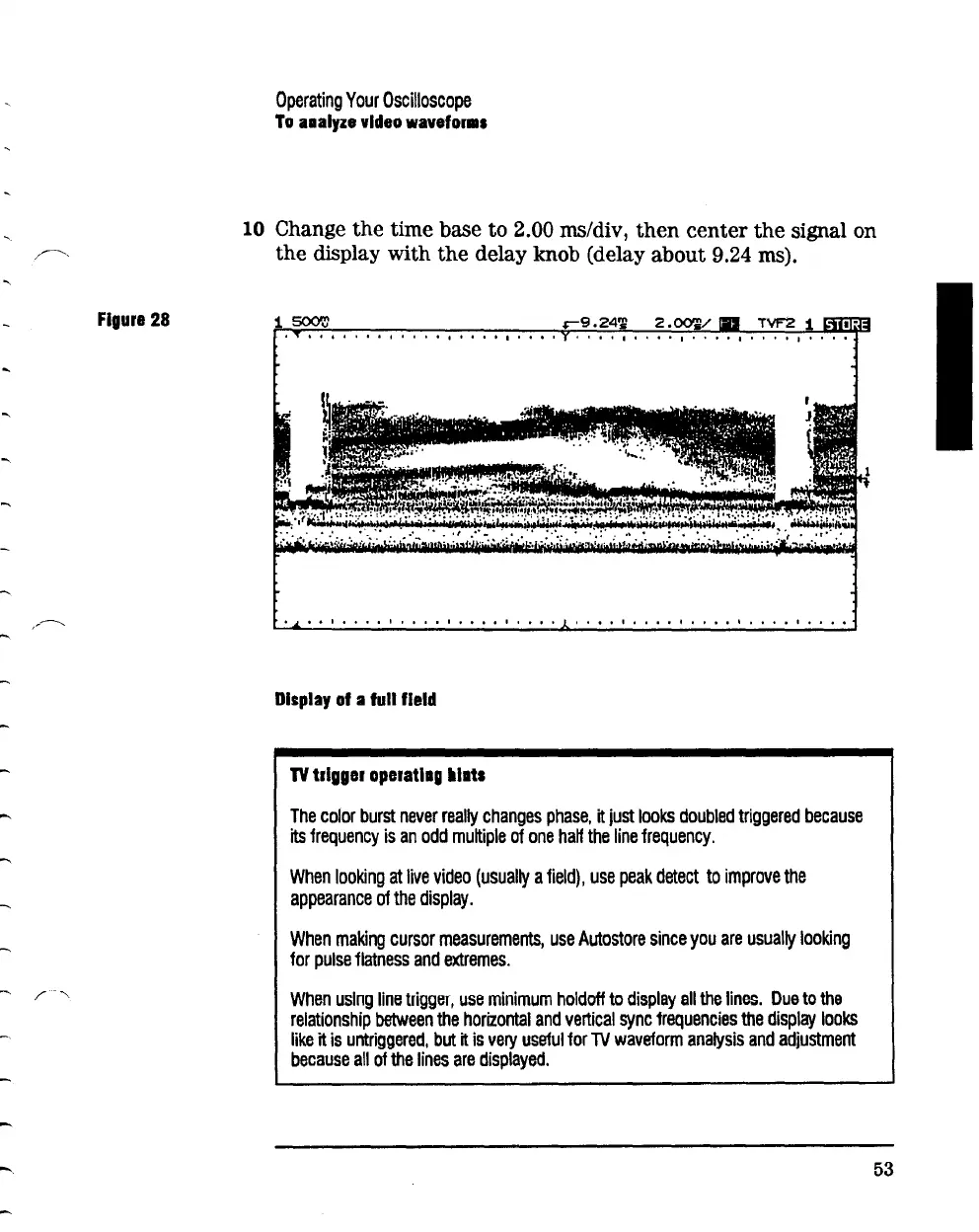
Figure
28
-
-
Operating
Your
Oscilloscope
To
aaaly1e
video
wavefor•s
10 Change
the
time base
to
2.00 ms/div,
then
center
the
signal on
the
display
with
the
delay knob (delay
about
9.24 ms).
I I I I I I I I I I 0 I 1 I I I I I I I I I
I I I I 0 o I I I I I I I I I 1 I I o 1 I o 1 0 1 1 I 1 o 1 o I 1 o 1 1 I o 1 o o I o o o 1
Display
of
a
full
field
TV
trigger operatlag lllats
The
color
burst
never
really
changes
phase,
it
just
looks
doubled
triggered
because
its
frequency
is
an
odd
multiple
of
one
haH
the
line
frequency.
When
looking
at
live
video
(usually
a
field),
use
peak
detect
to
improve
the
appearance
of
the
display.
When
making
cursor
measurements,
use
Autostore
since
you
are
usually
looking
for
pulse
flatness
and
extremes.
When
using
line
trigger,
use
minimum
holdoff
to
display
all
the
lines.
Due
to
the
relationship
between
the
horizontal
and
vertical
sync
frequencies
the
display
looks
like
it
is
untriggered,
but
it
is
very
useful
for
lV
waveform
analysis
and
adjustment
because
all
of
the
lines
are
displayed.
53

Related product manuals