EasyManua.ls Logo

HP 8153A - Page 90

HP 8153A
282 pages
Print Icon
To Next Page IconTo Next Page
To Previous Page IconTo Previous Page
Loading...
R»rtB«-^
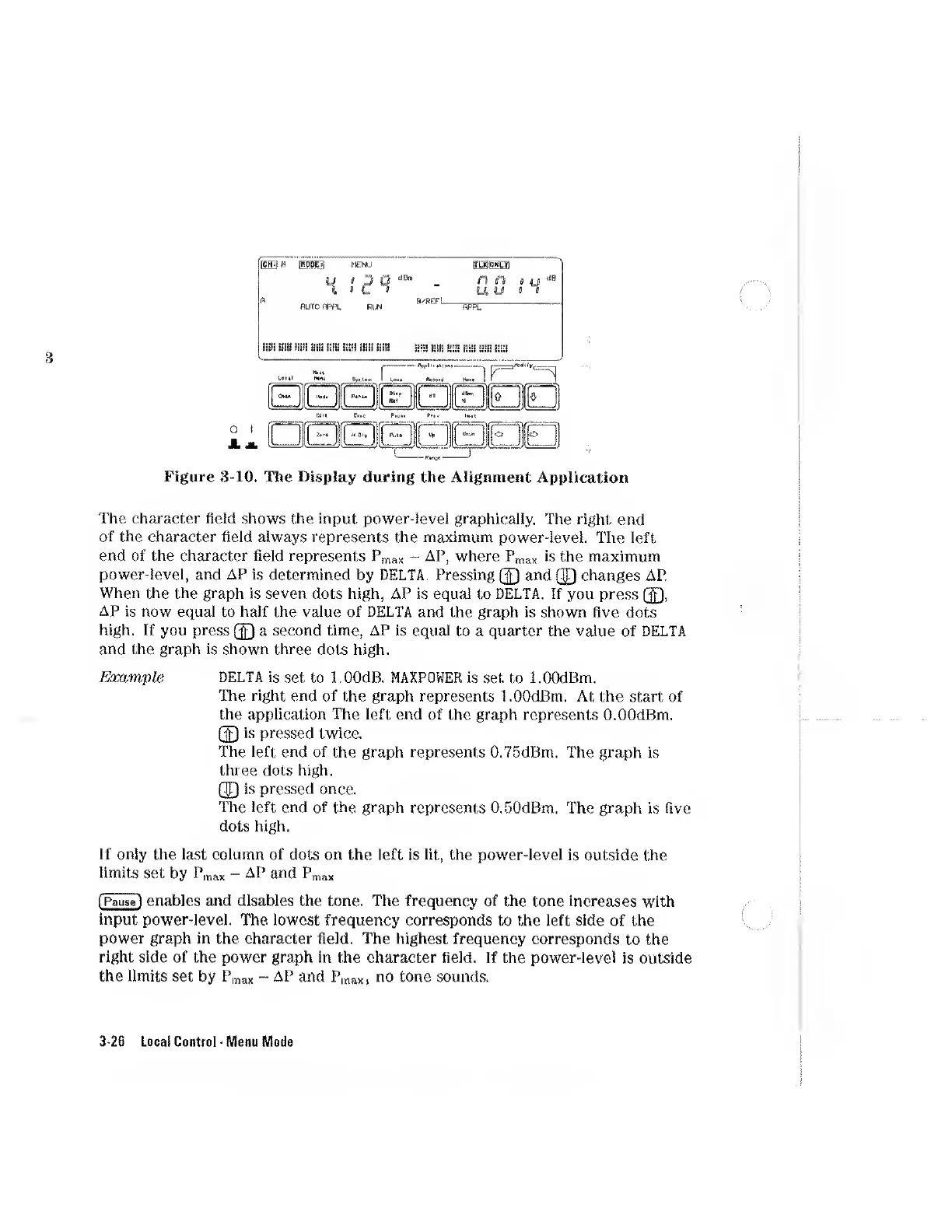
Figure
3-10.
The
Display
during
the
Alignment
Application
The
character
field
shows
the
input
power-level
graphically.
The
right
end
of
the
character
field
always
represents
the
maximum
power-level.
The
left
end
of
the
character
field
represents
Pmax
-
AP,
where
Pmax
is
the
maximum
power-level,
and
AP
is
determined
by
DELTA.
Pressing
(J)
and
QQ
changes
AP.
When
the
the
graph
is
seven
dots
high,
AP
is
equal
to
DELTA.
If
you
press
(J),
AP
is
now
equal
to
half
the
value
of
DELTA
and
the
graph
is
shown
five
dots
high.
If
you
press
(J)
a
second
time,
AP
is
equal
to
a
quarter
the
value
of
DELTA
and
the
graph
is
shown
three
dots
high.
Example
DELTA
is
set
to
l.OOdB.
MAXPOWER
is
set
to
l.OOdBm.
The
right
end
of
the
graph
represents
l.OOdBm.
At
the
start
of
the
application
The
left
end
of
the
graph
represents
O.OOdBm.
(J)
is
pressed
twice.
The
left
end
of
the
graph
represents
0.75dBm.
The
graph
is
three
dots
high.
(J)
is
pressed
once.
The
left
end
of
the
graph
represents
O.DOdBm.
The
graph
is
five
dots
high.
If
only
the
last
column
of
dots
on
the
left
is
lit,
the
power-level
is
outside
the
limits
set
by
Pmax
-
AP
and
Pmax
(Pause)
enables
and
disables
the
tone.
The
frequency
of
the
tone
increases
with
input
power-level.
The
lowest
frequency
corresponds
to
the
left
side
of
the
power
graph
in
the
character
field.
The
highest
frequency
corresponds
to
the
right
side
of
the
power
graph
in
the
character
field.
If
the
power-level
is
outside
the
limits
set
by
Pmax
~
AP
and
Pmax,
no
tone
sounds.
3-26
Local
Control
Menu
Mode

Other manuals for HP 8153A

Related product manuals